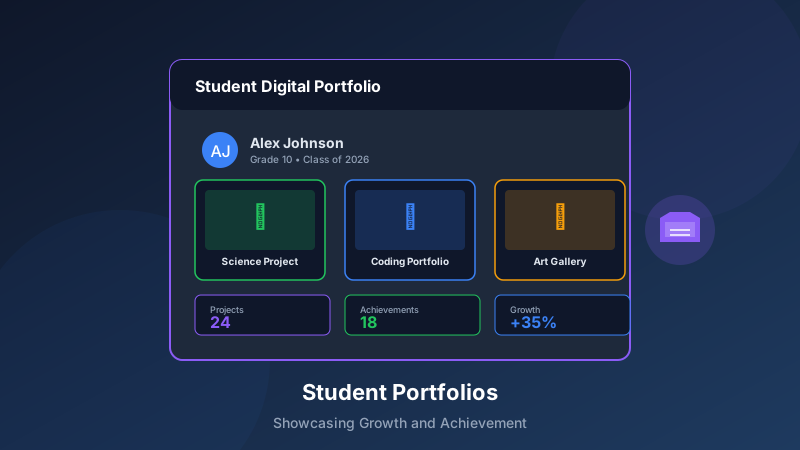
Student Portfolio Features: Showcasing Learning Journeys
Digital portfolios have transformed how students document, reflect on, and share their learning experiences. Modern portfolio features go beyond simple file storage to create dynamic, comprehensive records of student growth and achievement.
The Power of Digital Portfolios
Beyond Traditional Assessment
Digital portfolios offer advantages that traditional assessment cannot:
Holistic View: Capture the full range of student abilitiesProcess Documentation: Show growth over time, not just final productsStudent Voice: Allow learners to explain and reflect on their workAuthentic Evidence: Include real projects, not just test scoresAccessibility: Share with parents, teachers, and future educators easilyTypes of Portfolio Content
Effective portfolios include diverse materials:
Academic Work
Written assignments and essaysProblem-solving demonstrationsResearch projects and reportsCreative writing samplesMultimedia Creations
Video presentations and explanationsAudio recordings and podcastsDigital art and design projectsCoding projects and applicationsReflective Elements
Self-assessments and goal-settingLearning journals and blogsPeer feedback and collaborationsGrowth reflections over timeKey Portfolio Features for Learning Centers
1. Easy Content Upload
Simplify the portfolio building process:
Multi-Format Support
Documents: PDF, Word, Google DocsImages: JPG, PNG, with annotation toolsVideos: Direct upload or embed linksAudio: Voice recordings and music filesMobile Capture
Camera integration for instant photo uploadVoice memo recording for reflectionsScan documents using phone cameraQuick sharing from other appsAutomatic Organization
Date-stamped entriesSubject or skill taggingTeacher assignment linkingSearchable content library2. Reflection and Annotation Tools
Encourage metacognition:
Student Reflection Prompts
What did you learn from this project?What challenges did you overcome?How does this connect to your goals?What would you do differently next time?Annotation Capabilities
Highlight key sections of workAdd voice comments to submissionsInsert sticky note reflectionsCreate before/after comparisonsGoal Tracking
Link work to learning objectivesShow progress toward masteryCelebrate milestone achievementsSet future learning targets3. Sharing and Collaboration
Make portfolios useful beyond storage:
Flexible Privacy Controls
Public, private, or selective sharingTime-limited access linksPassword protection optionsClass or group sharing settingsFeedback Integration
Teacher comments and ratingsPeer review assignmentsParent viewing and commentsExternal mentor feedbackExport and Presentation
PDF portfolio generationSlideshow presentation modeWebsite-style public portfoliosPrint-ready formats4. Growth Tracking and Analytics
Visualize learning progress:
Timeline Views
Chronological work displaySide-by-side comparison toolsSkill development over timeAchievement milestones markedStandards Alignment
Map work to learning standardsTrack competency developmentGenerate progress reportsIdentify growth areasAnalytics Dashboard
Submission frequency trackingReflection depth analysisEngagement metricsPortfolio completeness indicatorsImplementation Best Practices
Getting Started
Launch portfolios successfully:
Phase 1: Introduction (Weeks 1-2)
Introduce portfolio concept to studentsSet up accounts and basic profilesPractice uploading one piece of workExplore platform features togetherPhase 2: Building Habits (Weeks 3-6)
Regular portfolio check-in timesWeekly reflection promptsTeacher modeling of quality entriesPeer sharing and feedback practicePhase 3: Deep Integration (Ongoing)
Link portfolios to all major assignmentsStudent-led portfolio conferencesGoal-setting using portfolio evidenceContinuous improvement of entriesStudent Ownership
Empower learners to take charge:
Choice in Curation
Students select their best workExplain why pieces were chosenDecide how to organize contentPersonalize portfolio appearanceAuthentic Voice
Encourage genuine reflectionsValue process over perfectionCelebrate effort and growthSupport diverse expression stylesPeer Learning
Share portfolios in small groupsGive and receive constructive feedbackLearn from classmates' approachesCollaborate on group projectsParent Engagement
Include families in portfolio celebration:
Regular Sharing
Monthly portfolio highlights emailsSemester portfolio review meetingsSpecial achievement notificationsEnd-of-year portfolio showcasesInteractive Features
Parent comment capabilitiesFamily photo and video additionsHome learning documentationMulti-generational contributionsPortfolio Conferences
Student-Led Conferences
Transform parent-teacher meetings:
Conference Preparation
Students select 3-5 pieces to presentPractice explaining work and growthPrepare responses to common questionsSet up portfolio for easy navigationDuring the Conference
Student guides the conversationDemonstrates portfolio navigationExplains learning and challengesShares goals for continued growthFollow-Up
Document conference commitmentsAdd new goals to portfolioSchedule check-in pointsCelebrate conference successAssessment Integration
Use portfolios for meaningful evaluation:
Competency-Based Assessment
Evidence-based skill verificationMultiple demonstrations per standardStudent self-rating with justificationTeacher confirmation and feedbackGrowth Measurement
Compare early and recent workDocument skill progressionCelebrate learning gainsIdentify continued growth areasTechnical Considerations
Platform Selection
Choose portfolio tools wisely:
Essential Features
Intuitive student interfaceRobust privacy controlsReliable media storageParent access capabilitiesIntegration Needs
Learning management system connectionsGrade book synchronizationSingle sign-on supportMobile app availabilityLong-Term Thinking
Data portability for graduatesArchive and backup optionsMulti-year continuityScalability for growthData Management
Handle portfolio data responsibly:
Privacy Compliance
FERPA and COPPA adherenceParental consent proceduresData retention policiesStudent privacy educationSecurity Measures
Encrypted storage and transmissionRegular security auditsAccess logging and monitoringBreach response proceduresCelebrating Success
Showcase Events
Create meaningful celebrations:
Portfolio Exhibitions
Annual portfolio showcase nightsDigital display stationsStudent presentation opportunitiesCommunity celebrationDigital Publishing
Selected work published onlineSchool magazine featuresSocial media highlights (with permission)Award recognition programsTransition Support
Use portfolios for smooth transitions:
Year-to-Year Continuity
Pass portfolios to next-year teachersStudent-led orientation presentationsContinuous growth documentationNo "starting over" each yearBeyond Your Program
Export portfolios for students keepingCollege application supplementsJob interview evidenceLifelong learning documentationConclusion
Student portfolios, when implemented thoughtfully, become powerful tools for learning, reflection, and growth. By providing intuitive features for content creation, reflection, sharing, and tracking, learning centers empower students to take ownership of their educational journeys.
The most effective portfolios balance structure with student choice, combine documentation with reflection, and serve multiple purposes from daily learning to long-term goal tracking. With the right features and implementation approach, digital portfolios transform assessment from something done to students into something students do for themselves.