Virtual Classes

AI-Powered Virtual Classrooms That Transform Online Learning

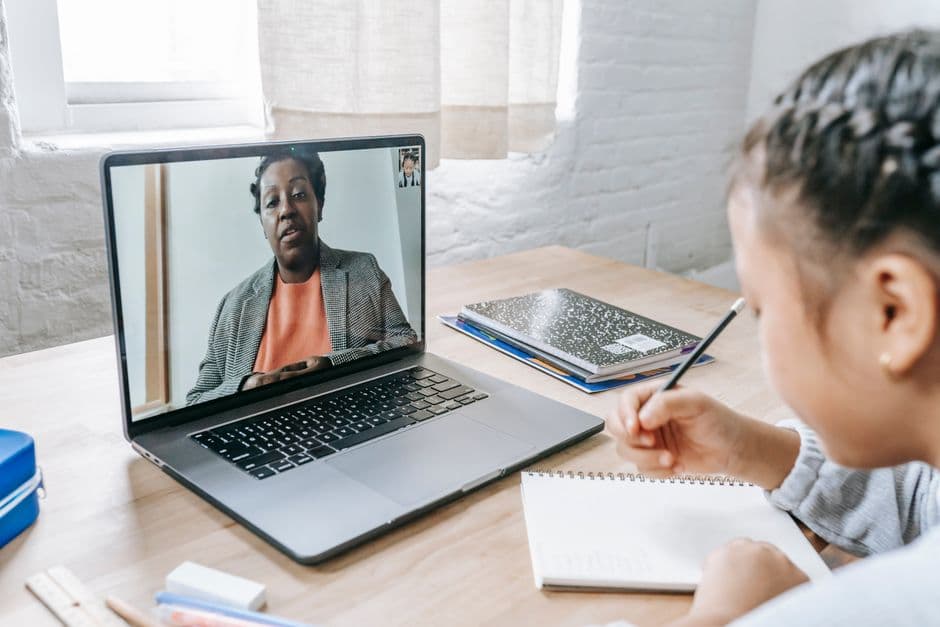
Deliver immersive, interactive online education with our comprehensive virtual classroom solution. Powered by enterprise-grade video conferencing, AI-enhanced engagement tools, and real-time collaboration features that bring the best of in-person learning to the digital world.

yourbrand.com/live/sat-math
SAT Math Intensive · Session 6 REC 24:1318 of 20 joined
PenShapesTextEraser

Find x: 3x + 7 = 22

3x = 22 − 7 = 15

x = 15 ÷ 3

x = 5

Mateo is drawing…
RMs. RiveraHost
AAarav
ZZoe
MMateo
LLiam
SSara
Launch pollEnd class
Powerful Features

Key Capabilities

Everything you need to make the most of Virtual Classes.

Live virtual classroom

  • HD video conferencing with up to 500 participants
  • Run each class in the built-in classroom, Zoom or Google Meet
  • One-click start for instructors and join links for students, with no downloads
  • Email class invitations and calendar integrations (Google, Outlook, iCal)
  • Simpech Virtual Classroom integration with automatic rooms, sign-in and hourly attendance sync

Engagement tools

  • Multi-user interactive whiteboard with annotation tools
  • Code board for coding and STEM classes
  • Breakout rooms for small-group work
  • Live polls and AI-powered quizzes
  • Hand raising, reactions, and public and private chat
  • Screen sharing, document sharing (PDF, PowerPoint, Word, images) and shared video playback
  • Shared notes for group collaboration

Classroom management

  • Host, presenter and viewer roles
  • Lock controls for student mics, cameras, chat and whiteboard
  • Live closed captions
  • Custom virtual backgrounds and noise cancellation

Recordings and attendance

  • Session recording with automatic transcription, saved to the course
  • Class notes archive for review
  • Automatic online attendance tracking
  • Engagement and participation analytics
  • Recording playback in multiple resolutions
  • Set how long recordings stay visible to each role, from one week to one year
What's inside

A closer look at Virtual Classes

Your classroom, Zoom or Google Meet

Run each class on Calimatic’s white-labeled classroom, your Zoom account or a Google Meet link. Set a company default and override it per class.
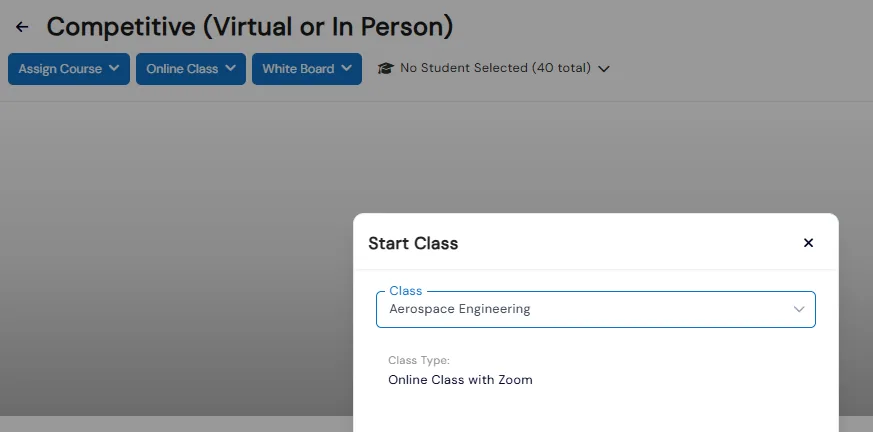
  • Staff start a class in one click; students and parents click Join once it is live
  • Google Meet needs no account connection: paste your Meet link into the class setup
  • The Calimatic classroom includes a participants list, chat, shared notes, whiteboard and recording
  • Invite students and parents from a searchable list and preview the invitation email before sending
Course page with the Online Class menu and a Start Class dialog showing the class runs on Zoom

Recordings saved to the course

After each session, the recording, chat log and stats link are saved to the course’s Class Notes alongside notes and attachments.
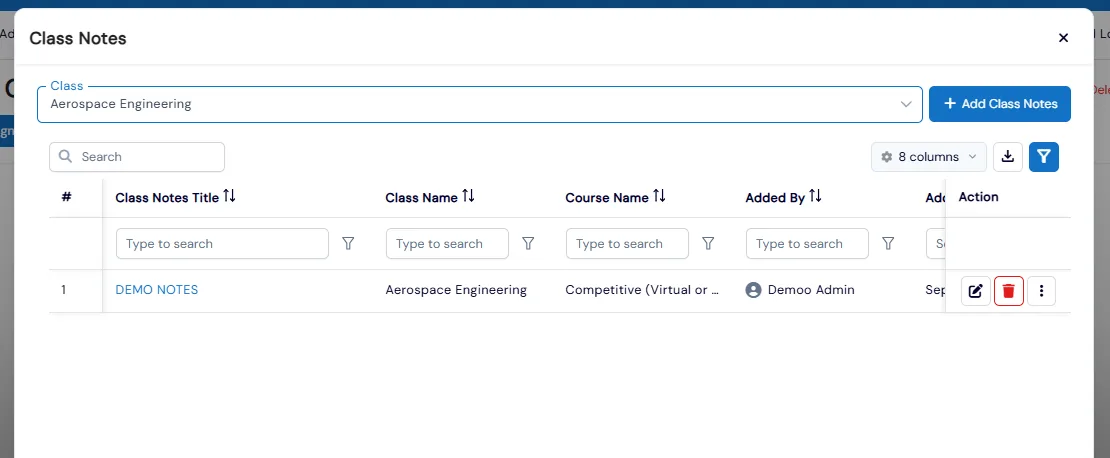
  • Class Notes is a grid on the course page for notes and attachments tied to each class
  • It is separate from the live Shared Notes pad used for real-time collaboration in session
  • Instructors start recording from the classroom's settings menu during the session
Class Notes dialog listing notes for a class with title, class, course and added-by columns

Zoom inside Calimatic

Connect your Zoom account once, then schedule and launch Zoom sessions from the class page so students join from the same place every time.

  • Connect Zoom once with your Account ID, Client Key and Client Secret
  • Zoom runs in a browser tab using Zoom's web client, with no desktop or mobile app to install
  • Students click Join Program on their portal dashboard and wait in the Zoom waiting room until admitted
  • Choose Zoom per class in Setup, then start the session from the course page

Teacher controls for young learners

Mute everyone, lock webcams, microphones, chat and shared notes, promote a guest speaker to presenter, and remove a user so they cannot rejoin the session.

  • Mute all users, or everyone except the presenter, including anyone who joins later
  • Lock private chat, the users list and whiteboard cursors to cut back-channel chatter
  • Unlock or relock an individual student from the users list without changing class-wide settings
  • Demote moderators to viewers to limit how many people have full control of the session

Polls and shared video

Run quick or anonymous polls, turn questions on a slide into one-click polls, and play YouTube, Vimeo or Panopto videos for the whole class in sync.

  • Custom polls take two to five answer options and can allow multiple answers
  • User Response polls let students type their own answers to your question
  • Publish anonymized results to the presentation and chat; they also show in the recording
  • Video sharing also supports Twitch, Dailymotion and direct .mp4 or .mp3 links

Online attendance, automatically

Attendance by Online Class records each student’s time in the session, with the class start, end and duration.

  • The report lists student name, the staff member who marked attendance, their role and online time
  • Filter by franchise and a date range that defaults to the first of the month through today
  • Each row links to that class's recording or analytics

Benefits for Your Institution

1

Reach students anywhere in the world

2

Reduce facility costs by up to 60%

3

Increase student engagement with interactive tools

4

Track participation with detailed analytics

5

Record sessions for on-demand review

6

Scale classes without infrastructure limits

Virtual Classes: FAQs

Common questions about Calimatic Virtual Classes.

Ready to use Virtual Classes?

Start your free trial today and experience the full power of Calimatic.

No credit card required
14-day free trial
Cancel anytime