
The Evolution of Learning Management Systems: Past, Present, Future
Trace the development of LMS platforms from early course management tools to today's intelligent learning ecosystems and glimpse what's coming next.
July 23, 202511 min read
Create, organize, and deliver courses with our comprehensive LMS. Track progress, assign content, and engage learners with interactive materials.
Robotics · Level 2
Course player · Challenge 3 of 5
Level 2 challenges
40% complete · 120 points
Homework: write the turn logic
Due Thu · submit on the whiteboard · 50 points
Everything you need to make the most of Learning Management System.
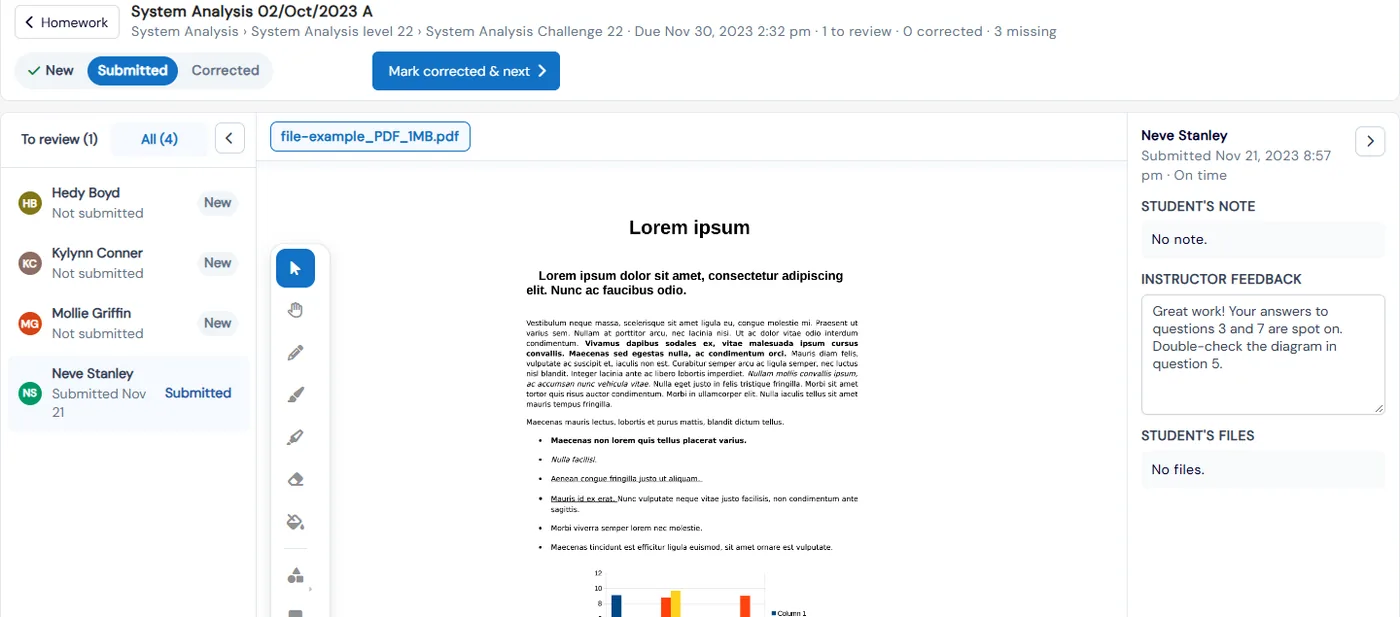
Teachers mark up each submitted page on a whiteboard that saves automatically, then move through a "Mark corrected & next" queue. To review and Missing counters show what needs attention.
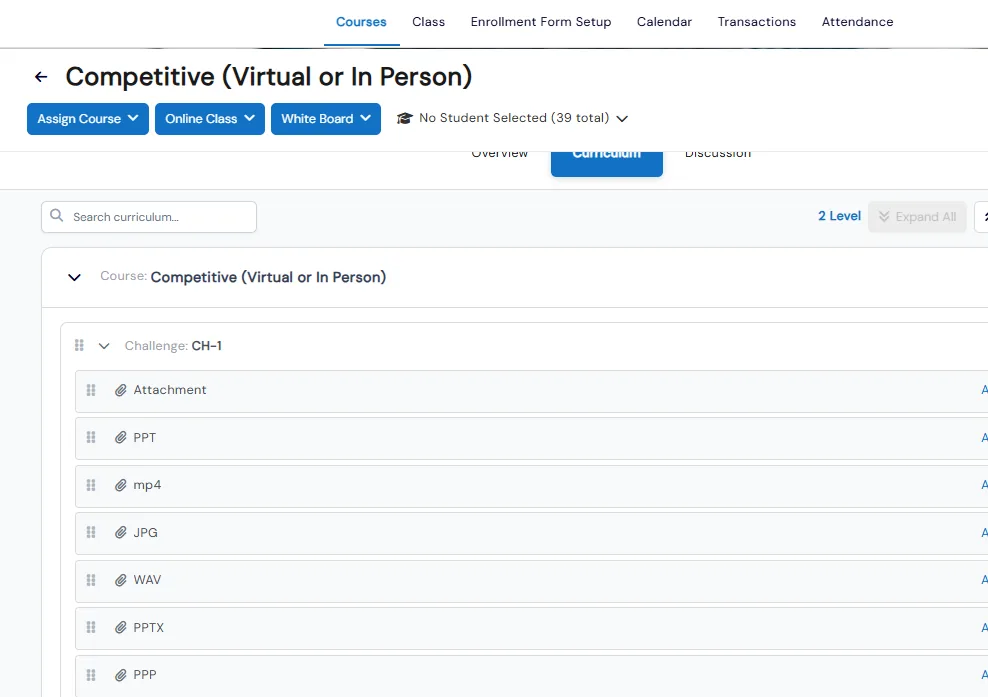
Courses are built as Level, Challenge and Step, and each term can be renamed system-wide to match how you teach, such as Unit or Module.
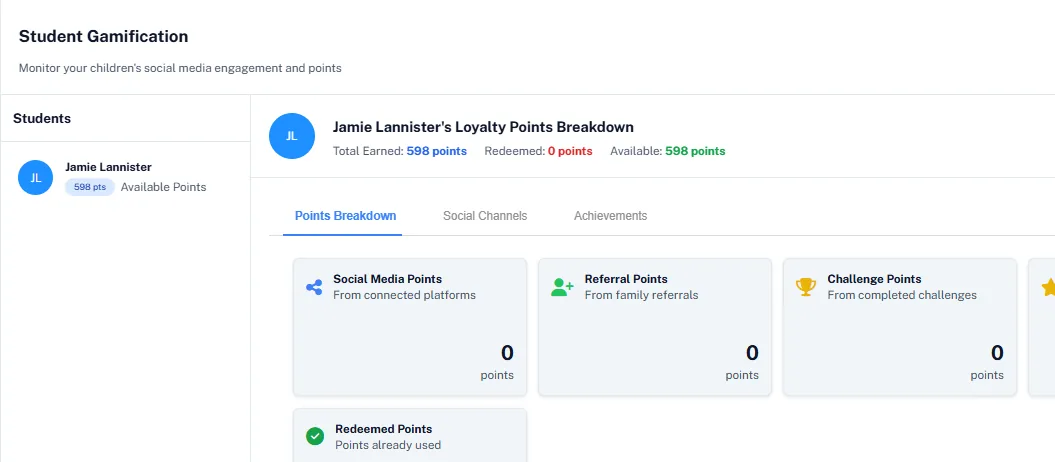
Completing challenges earns points. Staff add bonus points, and students redeem points for rewards or money off enrollments.
Students and parents write directly on homework files on a full-screen whiteboard, type an answer or upload a photo, and resubmit after feedback.
Drag-and-drop boards track each student’s challenges, homework and assessments by status. Assign a challenge to the whole class in one click.
Pen, highlighter, shapes, sticky notes and text, plus a Code tab for coding programs and a notes panel, opened straight from a student or class board.
Geofencing lets users open secure curriculum files only within a set radius of your registered locations. Access from unknown addresses can be flagged or blocked, and downloads can be switched on or off per item.
Create engaging, self-paced courses
Track learner progress in real-time
Reduce instructor workload with automation
Scale training across multiple locations
Explore other features that work great with Learning Management System.
Secure curriculum files open only near the locations you register. Flag or block access from unknown addresses and outside class hours, decide which files can be downloaded, and approve exceptions from head office.
Build your coding course as levels and challenges, add Code steps, and let students write and run code in the language they choose without leaving Calimatic. Track every challenge on a board and reward finished work with points.
Create homework once, assign it to students or a whole class, and see at a glance what is waiting for review and what is missing. Students write right on the worksheet and teachers correct it on the same whiteboard.
Create a course, lay out its curriculum as levels, challenges and steps, and fill each step with a video, a quiz, homework, a SCORM package or a file. Preview it the way students see it, and start the online class from the same page.
See where every student is on their challenges, homework and assessments, move work forward by dragging a card, and run your team’s to-do list on a staff task board in the same place.
Common questions about Calimatic Learning Management System.
Trace the development of LMS platforms from early course management tools to today's intelligent learning ecosystems and glimpse what's coming next.

Learn how education franchise owners create consistent, high-quality curriculum that maintains brand standards while allowing local flexibility across multiple locations.

A comprehensive comparison of white-label LMS platforms versus custom-built solutions, covering costs, timelines, maintenance, and why most education businesses benefit from the white-label approach.
Get 20% off all annual plans
No credit card required · 14-day free trial · Cancel anytime