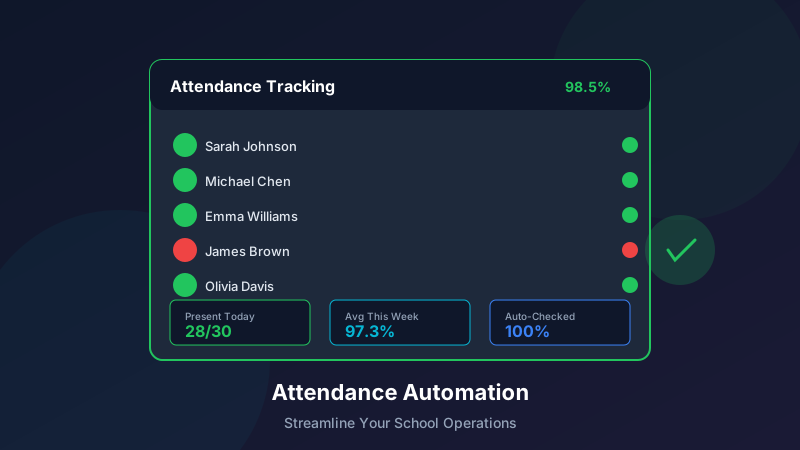
Attendance Tracking and Reporting: New Automation Features
Tracking attendance is essential but time-consuming. Our latest update introduces powerful automation features that streamline attendance management, reduce administrative burden, and improve accuracy—all while keeping parents informed and engaged.
Why Attendance Automation Matters
The Administrative Burden
Manual attendance tracking creates significant overhead:
Staff time spent recording and verifying attendanceError-prone paper-based or spreadsheet systemsDelayed parent notifications about absencesComplex reporting for compliance and billingReconciliation challenges across multiple locationsThe Cost of Manual Processes
For a typical learning center, manual attendance costs:
15-20 hours per week in staff timeBilling errors due to attendance discrepanciesParent complaints about communication delaysCompliance risks from incomplete recordsReduced time for student-facing activitiesNew Automation Features
1. Digital Check-In Options
Multiple ways for students to check in:
QR Code Check-In
Unique QR codes for each studentScan at entrance for instant check-inWorks with any smartphone or tabletTimestamp and location captureKiosk Mode
Self-service check-in terminalsStudent photo display for verificationTouch-screen simplicitySecure PIN option for older studentsBiometric Integration
Fingerprint reader supportFacial recognition optionsHighest accuracy and securityParental consent managementStaff-Assisted Check-In
Quick roster-based entryMulti-student group check-inLate arrival notationNotes capability for special circumstances2. Automated Parent Notifications
Keep parents informed without staff effort:
Instant Check-In Alerts
Notification when student arrivesOptional check-out confirmationMultiple delivery channels (SMS, email, push)Parent preference managementAbsence Notifications
Automatic alert if expected student doesn't arriveConfigurable timing (e.g., 10 minutes after class start)Response collection for absence reasonFollow-up reminder optionsLate Arrival Alerts
Notification when student arrives lateDuration of lateness includedPattern tracking for chronic tardinessOptional parent acknowledgment request3. Smart Scheduling Integration
Attendance connects with your schedule:
Expected Attendance Population
Roster automatically populated from enrollmentsRecurring schedule recognitionOne-time session handlingWaitlist and makeup session trackingMake-Up Session Management
Credit tracking for missed sessionsAvailable make-up slot identificationParent self-scheduling optionAttendance logging for make-up sessionsHoliday and Closure Handling
Automatic roster adjustment for closuresCommunication to families about schedule changesCredit or refund processing integrationRescheduling assistance4. Compliance and Reporting
Generate reports with a click:
Daily Attendance Reports
Summary of attendance by class and locationAbsence highlighting and follow-up statusSign-in sheet generation if neededExportable in multiple formatsTrend Analysis
Attendance patterns over timeStudent-level attendance historyProgram and instructor comparisonsEarly warning identificationRegulatory Reports
Child care licensing report formatsAudit-ready documentationCustomizable compliance templatesHistorical record accessBilling Integration
Attendance-based billing calculationsMissed session handling per policyMake-up session creditsException management5. Exception Handling
Manage the unusual situations:
Late Arrivals and Early Departures
Partial attendance trackingReason codes for pattern analysisPolicy-based billing adjustmentParent communication optionsUnscheduled Visits
Drop-in attendance loggingCapacity checkingBilling integration for drop-insConversion tracking to regular enrollmentEmergency Absences
Sick notification systemExtended absence managementReturn-to-attendance workflowDocumentation collectionImplementation Guide
Getting Started
Set up attendance automation in four steps:
Step 1: Configure Settings
Choose check-in methodsSet notification preferencesDefine absence policiesConfigure report templatesStep 2: Enroll Students
Import or enter student recordsAssign to programs and schedulesLink parent/guardian contactsSet communication preferencesStep 3: Set Up Hardware (If Using)
Install kiosks or scannersConfigure QR code printingTest biometric devicesVerify connectivityStep 4: Train Staff
Review new workflowsPractice check-in scenariosUnderstand exception handlingLearn reporting capabilitiesBest Practices
Maximize the value of attendance automation:
Check-In Process
Post clear check-in instructions for familiesHave backup method for technology issuesVerify accuracy during transition periodCollect feedback and adjustParent Communication
Explain new notification system to familiesConfirm contact information accuracySet expectations for response when neededGather preference for notification timingReporting Routine
Establish daily attendance review habitSet up automated report deliveryMonitor exception trendsUse data for program improvementIntegration Capabilities
Billing System Integration
Attendance connects with your finances:
Automatic billing adjustments based on attendancePolicy-based credit or charge calculationsNo-show fee automationStatement detail including attendance recordsCommunication Platform Integration
Unified family communication:
Absence notifications through existing channelsConsistent branding and messagingResponse tracking and loggingMulti-language supportReporting and Analytics
Comprehensive data access:
Dashboard widgets for attendance metricsCustom report buildingExport to spreadsheet or BI toolsAPI access for advanced integrationMobile Access
Staff Mobile Features
Manage attendance from anywhere:
Roster check-in from mobile deviceLate arrival and absence notificationsQuick parent messagingDashboard access to key metricsParent Mobile Experience
Keep families connected:
Push notifications for check-in/outAttendance history viewingMake-up session schedulingDirect communication with centerSecurity and Privacy
Data Protection
Keeping student information safe:
Encrypted data transmissionRole-based access controlsAudit logging for complianceData retention policiesBiometric Considerations
Special handling for biometric data:
Parent consent collection and managementSecure storage and processingClear data deletion policiesAlternative check-in options always availableMeasuring Success
Key Metrics to Track
Evaluate your attendance automation:
Efficiency Metrics
Time spent on attendance tasks (before/after)Manual exception handling frequencyReport generation time savingsStaff satisfaction with processAccuracy Metrics
Check-in error rateBilling discrepancy reductionAttendance record completenessAudit finding improvementsEngagement Metrics
Parent notification open ratesAbsence response timesParent satisfaction with communicationMake-up session utilizationExpected Outcomes
What centers typically experience:
75% reduction in attendance administration time90%+ parent awareness of check-in status50% reduction in attendance-related billing disputesImproved compliance audit readinessFrequently Asked Questions
Technology Questions
Q: What if our internet goes down?
A: Offline mode captures attendance locally and syncs when connection returns. Paper backup is always available.
Q: Do parents need to download an app?
A: No. Notifications work via SMS, email, or push notifications through our optional app.
Q: How accurate is facial recognition?
A: Modern facial recognition achieves 99%+ accuracy, with fallback options always available.
Policy Questions
Q: Can we customize notification timing?
A: Yes. All notification triggers and timing are configurable to match your policies.
Q: How do we handle shared custody situations?
A: Multiple guardians can be configured with individual notification preferences.
Q: What about students who walk in without check-in?
A: Staff can quickly add manual entries, and reports flag missed check-ins for follow-up.
Getting Started
Request a Demo
See attendance automation in action:
Personalized walkthrough of featuresDiscussion of your specific needsImplementation timeline planningPricing and package optionsTraining Resources
Get your team ready:
Self-paced video tutorialsLive training webinarsQuick reference guidesDedicated implementation supportConclusion
Attendance tracking doesn't have to consume valuable staff time or create anxiety for parents wondering if their child arrived safely. Our new automation features handle the routine work, freeing your team to focus on what matters most—delivering exceptional learning experiences. With multiple check-in options, intelligent notifications, and comprehensive reporting, attendance management becomes effortless. Combined with our scheduling and class management and student information system, you get a complete picture of every learner's participation.
Ready to transform your attendance process? Contact your account manager or schedule a demo to see these features in action.