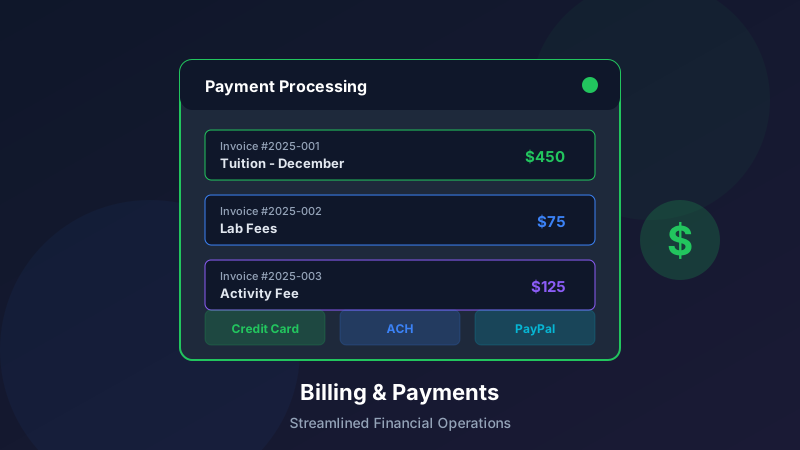
Enhanced Billing and Payment Processing for Education Businesses
Managing finances in education businesses comes with unique challenges: recurring tuition, variable schedules, family accounts with multiple students, and the need to maintain positive relationships while ensuring timely payment. Our enhanced billing and payment features address these challenges head-on.
The Financial Management Challenge
Pain Points We're Solving
Education businesses commonly struggle with:
Complex Billing Scenarios: Multiple students per family, different programs with different pricingRecurring Revenue Management: Monthly tuition, package deals, semester paymentsPayment Collection: Chasing late payments while maintaining relationshipsFinancial Visibility: Understanding cash flow and revenue patternsAdministrative Burden: Manual invoicing, reconciliation, and reportingThe Cost of Manual Processes
Manual billing operations create:
Staff time spent on routine tasks (15-20 hours/week average)Higher error rates in invoicingDelayed payment collection affecting cash flowCustomer frustration with inconsistent processesLimited insights into financial healthNew Billing Features
1. Flexible Pricing and Packages
Create pricing structures that match your business:
Pricing Options:
Per-session pricingMonthly unlimited packagesSemester or term-based tuitionPackage deals with session bundlesCustom pricing for special programsDiscount Capabilities:
Sibling discounts (automatic calculation)Multi-program discountsLoyalty discounts for long-term studentsPromotional pricing periodsScholarship and financial aid trackingDynamic Pricing:
Different rates for different instructorsPeak vs. off-peak pricingGroup vs. individual session ratesLevel-based pricing progression2. Automated Invoicing
Set it and forget it invoicing:
Invoice Generation:
Automatic creation on your schedule (weekly, monthly, custom)Customizable invoice templatesDetailed line items for transparencyAutomatic tax calculationsDigital delivery via email and portalSmart Invoicing:
Attendance-based invoicing (pay for sessions attended)Package usage trackingPro-rated calculations for mid-period changesCredit application from account balancesScheduled future invoices3. Family Account Management
Handle complex family situations:
Unified Accounts:
Single account for multiple studentsCombined invoicing optionSplit payment capabilitiesIndividual and family-level reportingAccount Flexibility:
Multiple payment methods per accountMultiple authorized payersPayment responsibility assignmentAccount credits and transfers4. Revenue Recognition
Accurate financial reporting:
Deferred Revenue:
Automatic recognition schedulesPackage-based recognitionPrepaid tuition handlingAudit-ready reportingFinancial Reporting:
Revenue by program, location, instructorCollection rate trackingAged receivables reportingCash flow projectionsEnhanced Payment Processing
1. Multiple Payment Methods
Accept payments however families prefer:
Payment Options:
Credit and debit cards (Visa, Mastercard, Amex, Discover)ACH/bank transfersDigital wallets (Apple Pay, Google Pay)Payment plans with scheduled installmentsIn-person payments (card or cash with digital receipt)Payment Flexibility:
Save payment methods securelySet default payment methodsSwitch methods easilySplit payments across methods2. Recurring Payment Automation
AutoPay that actually works:
Scheduling Options:
Fixed date each monthInvoice due dateCustom schedulesVariable amount handlingSmart Processing:
Automatic retry on failed paymentsCard expiration monitoringBalance threshold triggersPause and resume capabilityCommunication:
Upcoming payment notificationsProcessing confirmationsFailed payment alertsReceipt delivery3. Payment Plans
Make education accessible:
Plan Options:
Custom installment schedulesInterest-free plansExtended payment termsDown payment requirementsManagement:
Automatic installment processingPlan progress trackingModification capabilitiesEarly payoff handling4. Self-Service Payment Portal
Empower families to manage finances:
Portal Features:
View statements and balancesMake one-time paymentsSet up AutoPayUpdate payment methodsDownload receipts and statementsView payment historyAccessibility:
Mobile-optimized interface24/7 availabilityMulti-language supportClear, intuitive designCollection and Follow-Up Tools
1. Automated Reminders
Never chase payments manually again:
Reminder Sequence:
Pre-due date remindersDue date notificationsOverdue escalationsFinal noticesCustomization:
Adjust timing and frequencyPersonalize message contentChoose delivery channels (email, SMS, portal)Pause for special circumstances2. Late Fee Management
Enforce policies consistently:
Fee Options:
Flat late feesPercentage-based feesTiered escalationGrace periodsOverride Capabilities:
Waive fees when appropriateDocument waiver reasonsTrack waiver patternsMaintain consistency3. Account Status Management
Handle difficult situations:
Status Tracking:
Good standingPast due (with aging)Payment planCollectionsFinancial holdAutomated Actions:
Restrict scheduling for past-due accountsLimit portal accessTrigger collection workflowsEnable status-based communicationsFinancial Reporting and Analytics
1. Revenue Dashboards
Real-time financial visibility:
Key Metrics:
Total revenue (MTD, QTD, YTD)Average revenue per studentCollection ratesOutstanding balancesPayment method distributionTrend Analysis:
Month-over-month comparisonsSeasonal patternsGrowth trackingForecasting tools2. Accounts Receivable Reports
Track what's owed:
Standard Reports:
Aging report (30/60/90 days)Outstanding balances by familyCollection projectionsWrite-off trackingCustom Reporting:
Filter by location, program, date rangeExport capabilitiesScheduled report deliveryMultiple format options3. Financial Reconciliation
Simplify month-end close:
Reconciliation Tools:
Payment matchingBank reconciliation supportDiscrepancy identificationAudit trail maintenanceIntegration Support:
Export to accounting systemsQuickBooks integrationCustom export formatsAPI for custom integrationsSecurity and Compliance
1. PCI Compliance
Protect payment data:
Level 1 PCI DSS certified payment processingTokenization of card dataEncrypted transmissionSecure storage practices2. Financial Controls
Maintain proper oversight:
Role-based access to financial functionsApproval workflows for adjustmentsComplete audit trailSegregation of duties support3. Data Protection
Keep information safe:
Encryption at rest and in transitRegular security assessmentsIncident response proceduresCompliance with data protection regulationsImplementation and Support
Getting Started
Assessment: Review current billing processes and pain pointsConfiguration: Set up pricing, templates, and workflowsMigration: Import existing customer and billing dataTesting: Verify all configurations before going liveTraining: Ensure staff understand new capabilitiesLaunch: Go live with new billing featuresBest Practices
Before Launch:
Clean up existing account dataCommunicate changes to familiesTrain all staff who handle billingTest thoroughly in sandbox environmentAfter Launch:
Monitor for issues closelyGather feedback from staff and familiesMake adjustments as neededDocument proceduresSupport Resources
Available Support:
Implementation guidanceVideo tutorialsDocumentation libraryEmail and chat supportPhone support for urgent issuesConclusion
Effective billing and payment processing is essential for education business success. These enhanced features reduce administrative burden, improve cash flow, and create better experiences for families—all while giving you the financial visibility you need to grow your business. When integrated with your admissions and enrollments workflow and CRM, you can automate the entire student lifecycle from inquiry to invoice.
Ready to transform your billing operations? Contact our team to learn more about implementing these features for your organization.