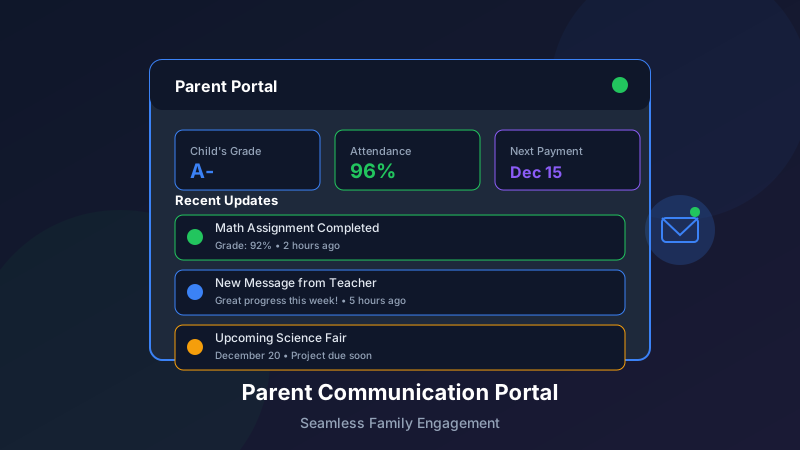
New Parent Communication Portal: Features and Benefits
Effective parent communication is the foundation of student success. Our newly enhanced parent communication portal provides the tools you need to keep families informed, engaged, and connected to their child's learning journey.
Why Parent Communication Matters
The Research Connection
Studies consistently show:
Students with engaged parents achieve more academicallyParent involvement improves attendance and behaviorStrong communication increases family satisfactionEngaged families refer more new studentsThe Communication Challenge
Many learning centers struggle with:
Reaching parents through their preferred channelsProviding timely, relevant updatesMaking information easily accessibleEnabling meaningful two-way dialogueBalancing frequency with avoiding overloadNew Portal Features
1. Unified Communication Hub
Everything in one place:
Message Center:
All communications in a single inboxOrganized by category and prioritySearch and filter capabilitiesArchive and reference accessNotification Preferences:
Choose email, SMS, push, or in-appSet frequency preferencesCustomize by message typePause notifications temporarily2. Real-Time Progress Visibility
Parents see what they need:
Learning Dashboard:
Current skill levels and progressRecent assessment resultsLearning goals and milestonesTime spent on various activitiesSession Summaries:
What was covered each sessionStudent engagement and participationInstructor observationsRecommended home practiceAchievement Tracking:
Badges and certifications earnedGoals achievedGrowth visualizationsCelebration of milestones3. Two-Way Messaging
Easy communication with staff:
Direct Messaging:
Message instructors directlyQuick questions and check-insConversation history maintainedResponse time expectations setSmart Replies:
Suggested responses for common situationsOne-tap acknowledgmentsQuick scheduling requestsEasy feedback submission4. Scheduling Self-Service
Parents manage their own schedules:
Calendar View:
See all upcoming sessionsView instructor and locationAccess class details and materialsAdd to personal calendarSelf-Service Options:
Request schedule changesBook makeup sessionsReserve spots in special eventsCancel with appropriate notice5. Document and Resource Center
Easy access to important materials:
Documents:
Enrollment and registration formsPolicy documentsInvoices and receiptsProgress reports and assessmentsLearning Resources:
Practice materials for homeRecommended reading and activitiesHelpful tips for parentsEducational articles and guides6. Community Features
Connect with other families:
Parent Forums:
Discuss topics with other parentsShare experiences and tipsAsk questions of the communityModerated for safety and relevanceEvents Calendar:
Upcoming events and activitiesRegistration for special programsCommunity gatheringsParent education sessionsMobile Experience
Dedicated Mobile App
Full functionality on the go:
Features:
Complete access to all portal featuresPush notifications for important updatesQuick access to common tasksOffline viewing of key informationDesign:
Optimized for smartphone useFast, responsive interfaceEasy navigationBiometric login optionSMS Integration
Reach parents wherever they are:
Important notifications via textQuick response optionsLink to full details in portalOpt-in/opt-out controlsBenefits for Everyone
For Parents
Convenience:
Access information anytime, anywhereSelf-service for common tasksReduced need for phone calls or emailsMobile-friendly experienceVisibility:
Know exactly how their child is progressingUnderstand what happens in each sessionSee upcoming schedule and activitiesAccess all documents easilyEngagement:
Easy communication with staffPractical ways to support learning at homeConnection to the learning communityInvolvement in their child's journeyFor Staff
Efficiency:
Reduced routine communication workloadAutomated updates save timeTemplates for common messagesTracked communication historyFocus:
More time for instruction and relationship buildingLess time on administrative communicationEasier coordination with familiesBetter information for parent conversationsFor Organizations
Outcomes:
Stronger parent engagement correlates with student successHigher satisfaction leads to better retentionEngaged families provide more referralsConsistent communication builds trustOperations:
Reduced administrative burdenFewer missed communicationsBetter documentation and complianceData for continuous improvementImplementation Guide
Getting Started
Week 1: Setup
Configure organizational settingsCustomize branding and appearanceSet up communication templatesImport parent contact informationWeek 2: Staff Training
Train staff on portal featuresEstablish communication standardsCreate workflow proceduresTest all functionalityWeek 3: Parent Onboarding
Send parent invitationsProvide setup guidesOffer registration supportAnswer questionsWeek 4: Launch and Support
Go live with all featuresMonitor adoption and usageGather feedbackAddress issues promptlyBest Practices for Adoption
Drive Registration:
Make registration required for key informationProvide incentives for early adoptionOffer multiple signup optionsProvide technical supportEncourage Regular Use:
Send valuable content through the portalMake key actions self-serviceKeep content fresh and relevantCelebrate engagementMaintain Quality:
Post consistent, timely updatesRespond to messages promptlyKeep information accurateGather and act on feedbackCommunication Best Practices
Message Frequency
Daily: Automated session summaries (optional)
Weekly: Progress updates and highlights
Monthly: Newsletters and announcements
As Needed: Important notifications and alerts
Content Guidelines
Be Relevant:
Focus on what parents need to knowConnect to student progressProvide actionable informationRespect parents' timeBe Positive:
Lead with strengths and successesFrame challenges constructivelyCelebrate achievementsMaintain encouraging toneBe Clear:
Use simple, direct languageAvoid jargon and acronymsProvide context when neededMake action items clearResponse Standards
Set Expectations:
Communicate response time standardsAcknowledge messages promptlyFollow through on commitmentsEscalate when appropriateMeasuring Success
Key Metrics
Adoption:
Registration rateActive user percentageFeature usageMobile app downloadsEngagement:
Login frequencyMessage response ratesSelf-service usageResource accessSatisfaction:
Parent satisfaction scoresNet promoter scoreFeedback sentimentSupport ticket volumeContinuous Improvement
Gather Feedback:
Regular surveysUsage analyticsStaff inputParent suggestionsIterate and Enhance:
Address pain pointsAdd requested featuresImprove based on dataStay current with technologyConclusion
The new parent communication portal transforms how you connect with families. By providing convenient access to information, easy communication tools, and meaningful visibility into student progress through our student information system, you strengthen the parent partnership that drives student success. For even deeper engagement, explore our branded mobile app to put these tools directly in parents' pockets.
Ready to enhance your parent communication? Contact us for a personalized demo and implementation support.