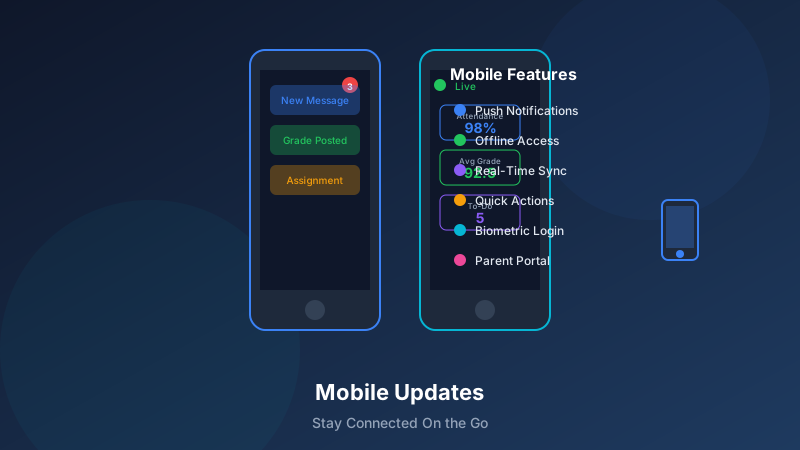
Mobile App Updates: Learning on the Go Made Easier
In a world where smartphones are always at hand, learning shouldn't be limited to scheduled sessions. Our latest mobile app updates make it easier than ever for students to learn, for parents to stay connected, and for staff to manage operations—all from wherever they happen to be.
What's New in the Mobile Experience
For Students: Learning Anytime, Anywhere
New features empower student learning on mobile:
Offline Mode
Students can now continue learning even without an internet connection:
Download lessons and materials for offline accessComplete practice activities without connectivityAutomatic sync when connection returnsProgress tracking across online and offline workBite-Sized Learning
Microlearning modules designed for mobile:
5-10 minute learning burstsSwipe-through flashcard practiceQuick quiz reviewsAudio lessons for listening on the goSmart Notifications
Personalized reminders that actually help:
Study reminders at optimal timesStreak maintenance alertsNew content notificationsAchievement celebrationsProgress Dashboard
At-a-glance view of learning status:
Visual progress toward goalsRecent activity summaryUpcoming assignmentsSkill mastery indicatorsFor Parents: Stay Connected, Stay Informed
New features keep parents in the loop:
Real-Time Attendance
Know when your child arrives and leaves:
Push notification on check-inCheck-out confirmationAbsence alerts if expected student doesn't arriveEasy absence reportingLearning Updates
See what your student is learning:
Session summaries after each classSkills being worked onInstructor notes and observationsSuggested home practiceCommunication Hub
Direct connection to learning center:
Message instructors directlySchedule managementCenter announcementsEvent calendar and RSVPBilling and Payments
Manage account on the go:
View upcoming chargesMake payments securelyPayment history accessReceipt downloadsFor Staff: Manage from Anywhere
New features support mobile administration:
Quick Attendance
Take attendance effortlessly:
One-tap check-in for studentsRoster at your fingertipsLate arrival notationAbsence follow-up trackingInstructor Dashboard
See your day at a glance:
Today's schedule and rostersStudent alerts and notesPreparation materials accessSession documentationCommunication Tools
Stay connected with families:
Quick parent messagingAnnouncement broadcastingTemplate library accessResponse trackingTask Management
Stay on top of responsibilities:
To-do list and remindersCenter task visibilityCompletion trackingManager notificationsTechnical Improvements
Performance Enhancements
Faster, smoother experience:
Speed Improvements
App launch time reduced by 40%Content loading 60% fasterSmoother scrolling and navigationOptimized battery usageReliability
Improved connection handlingBetter offline capabilityReduced crash rateFaster error recoveryStorage Efficiency
Smaller app footprintSmarter content cachingAutomatic cleanup of old dataUser control over storage usageEnhanced Security
Keeping data safe on mobile:
Authentication
Biometric login (Face ID, fingerprint)Secure session managementAutomatic logout optionsDevice management from webData Protection
End-to-end encryption for messagesSecure file storageNo sensitive data in local storageRemote wipe capabilityPrivacy Controls
Notification content privacyScreen lock optionsScreenshot restrictions for sensitive dataGranular permission managementNew User Experience
Redesigned Interface
Fresh look that works better:
Modern Design
Clean, intuitive navigationConsistent visual languageAccessibility improvementsDark mode supportPersonalization
Custom home screen arrangementNotification preferencesTheme optionsLanguage selectionNavigation
Simplified menu structureQuick actions from homeSmart search across contentRecent items accessAccessibility Features
Inclusive design for all users:
Visual Accessibility
Full VoiceOver/TalkBack supportHigh contrast modeText size adjustmentColor blindness friendly designMotor Accessibility
Large touch targetsGesture alternativesVoice control supportSwitch access compatibilityCognitive Accessibility
Clear, simple languageConsistent patternsReduced cognitive loadFocus mode optionsPlatform-Specific Features
iOS Updates
Taking advantage of Apple capabilities:
Widgets
Lock screen widgets for quick accessHome screen learning summariesProgress tracking at a glanceUpcoming session remindersSiri Integration
"Hey Siri, what's my next class?"Voice message to instructorSession remindersQuick access shortcutsApple Watch
Session reminders on wristAttendance notificationsQuick response to messagesHealth integration for study breaksAndroid Updates
Leveraging Android features:
Widgets
Home screen learning widgetsProgress barsQuick actionsCalendar integrationSplit Screen
Multitask while learningReference materials alongside workCommunication while browsingNote-taking during lessonsNotification Channels
Granular notification controlPriority managementDo Not Disturb integrationScheduled notificationsBest Practices for Mobile Learning
For Students
Getting the most from mobile:
Set Up for Success
Enable appropriate notificationsDownload offline content on WiFiKeep app updatedManage storage proactivelyBuild Learning Habits
Use reminders for consistent practiceSet daily learning goalsReview progress regularlyCelebrate achievementsFocus Strategies
Use Do Not Disturb during studyMinimize other app distractionsSet timer for focused sessionsTake breaks between burstsFor Parents
Staying connected effectively:
Notification Management
Enable key notificationsReview communication preferencesCheck app regularly for updatesRespond to requests promptlyEngagement Tips
Discuss learning updates with your childUse progress data for encouragementAttend to action items quicklyProvide feedback through app channelsFor Staff
Mobile administration tips:
Efficient Use
Complete quick tasks on mobileUse templates for common communicationsBatch similar actionsReserve complex work for desktopStay Current
Review alerts before sessionsDocument while details are freshRespond to urgent items promptlyUse reminders for follow-upRollout and Support
Getting the Update
How to access new features:
Update Your App
iOS: Update from App StoreAndroid: Update from Google PlayAutomatic updates recommendedCheck for latest versionNew Users
Download from your device's app storeFollow in-app onboardingContact support for login issuesReference help center for guidanceLearning Resources
Get up to speed quickly:
In-App Guidance
Feature tours on first useContextual help throughoutVideo tutorialsTips and best practicesHelp Center
Searchable knowledge baseStep-by-step guidesTroubleshooting resourcesFAQ updatesSupport Channels
Get help when needed:
In-App Support
Chat support accessReport issues easilyFeedback submissionFeature requestsContact Options
Email supportPhone support during business hoursCommunity forumsSocial media channelsComing Soon
Roadmap Preview
What's ahead for mobile:
Near Term
Enhanced video playbackMore offline capabilitiesAdditional language supportIntegration with more learning toolsFuture Features
AI-powered study recommendationsVoice-based interactionAugmented reality featuresEnhanced social learningConclusion
These mobile app updates represent our commitment to making learning accessible whenever and wherever inspiration strikes. Whether you're a student fitting in practice during a commute, a parent checking on progress between meetings, or staff managing a center on the move, the new mobile experience is designed to serve you better. Explore how our branded mobile app can reinforce your center's identity while delivering these powerful features.
Update your app today and experience learning on the go, made easier.