Key Capabilities
Everything you need to make the most of reports & analytics.
A closer look at Reports & Analytics
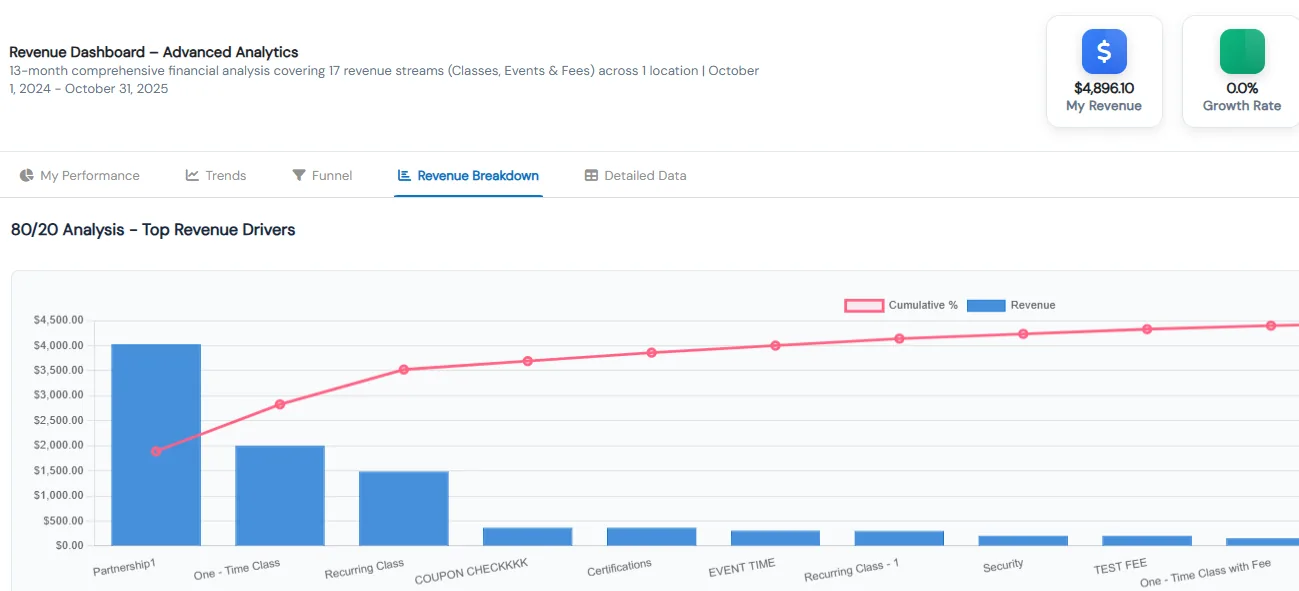
Drill into any number
Every dashboard counter and chart opens a sortable, filterable table of the records behind it. Save the filters you use and export the data.
- Drill-downs on Active Enrollments, New Enrollments, Drop-Offs, Revenue Generated and Pending Payments
- Charts open too, including 13-month revenue, drop-off and partner enrollment trends
- Filter by date, instructor or location and sort by course or location
- Compare enrollment and drop-off drill-downs side by side to judge student retention
Enrollment reports
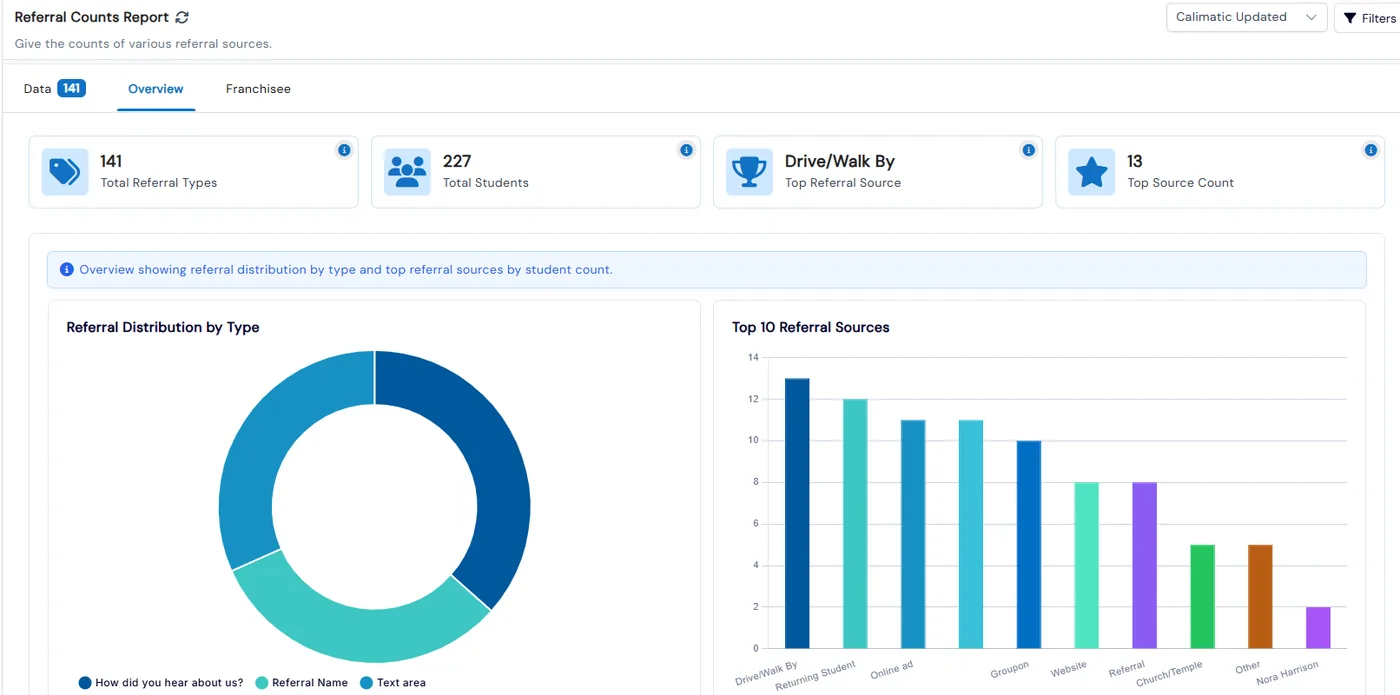
Active and new enrollments, de-enrollments, class details, policy consent, abandoned carts, referral sources and coupon usage, all filterable by location and date.
- 14 enrollment reports, most with a data grid plus chart tabs
- Referral reports show your top referral source and a breakdown by franchise
- Abandoned Cart lists completed and partial checkouts so you can follow up
- Coupon Usage tracks general, sibling, auto-applied and recurring coupons
Billing reports
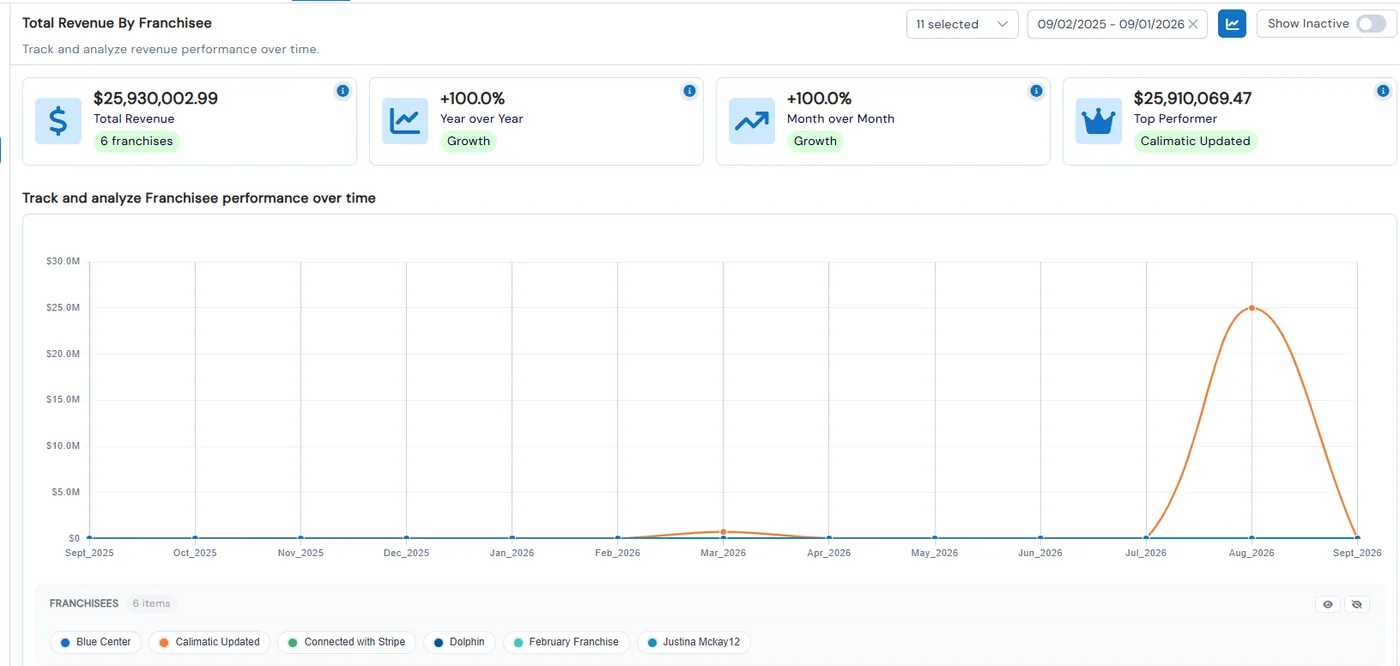
Revenue compared year over year and month over month, revenue by franchise, pending and failed payments, and a full transaction summary.
- Summary cards for current month, year over year, month over month and best month
- Compare revenue across locations with a line or bar chart
- Pending report splits unpaid, on hold, overdue, missed and failed items with days overdue
- Export transaction-level revenue to CSV, PDF or XLSX with your filters printed at the top
Class retention at a glance
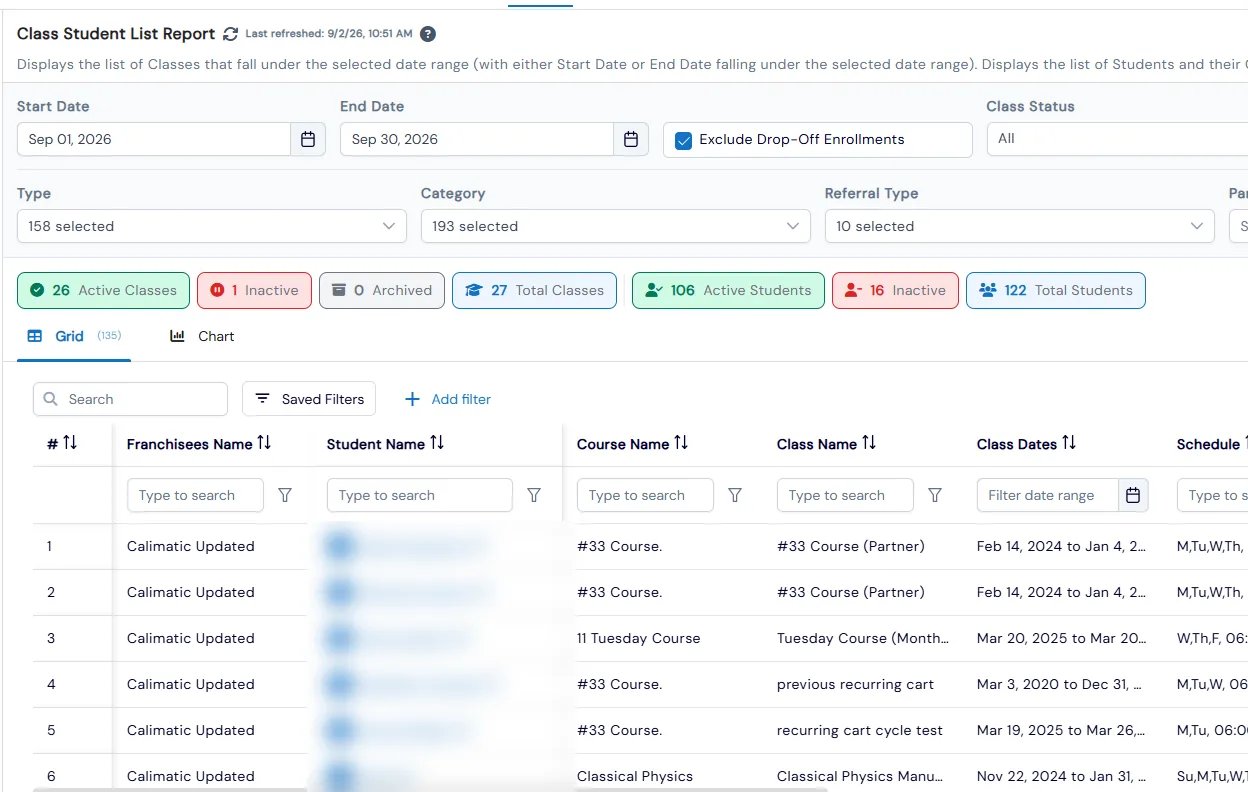
Rosters with fill rate, a month-by-month retention heatmap, drop lists with reasons and transfers, and classes ending this month.
- Nine class reports, from a plain roster to a per-student retention heatmap
- Class List shows max and current students, slots, makeups and fill rate
- Drop List badges each student as Dropped or Transferred, with the reason and date
- Makeups and cancelled one-on-one class reports track absences and rescheduled sessions
Student progress
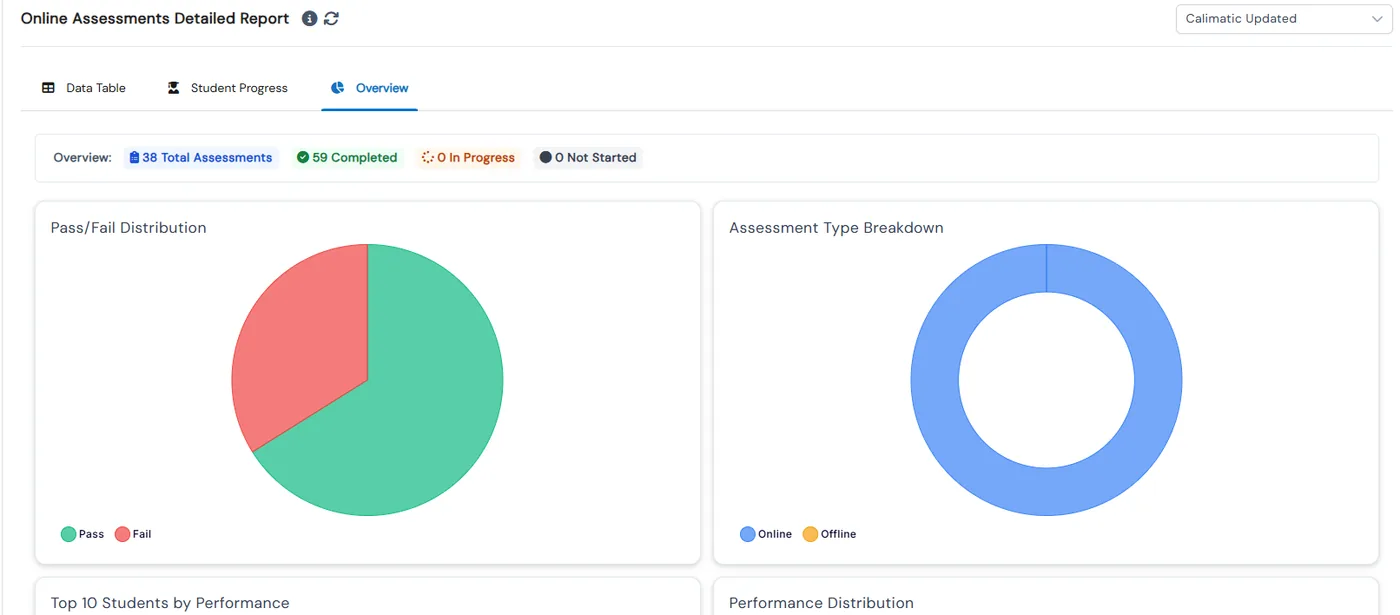
Course completion, points, online and offline assessment results, and attendance for each student, including time spent in online classes.
- Overview tabs show top performers and students who need attention
- Online assessment results include pass/fail and correct, wrong and skipped answers
- Daily attendance shows present, absent, late and excused counts
- See who is mid-exam, which exams are near their deadline, and end a session early
Family and student reports
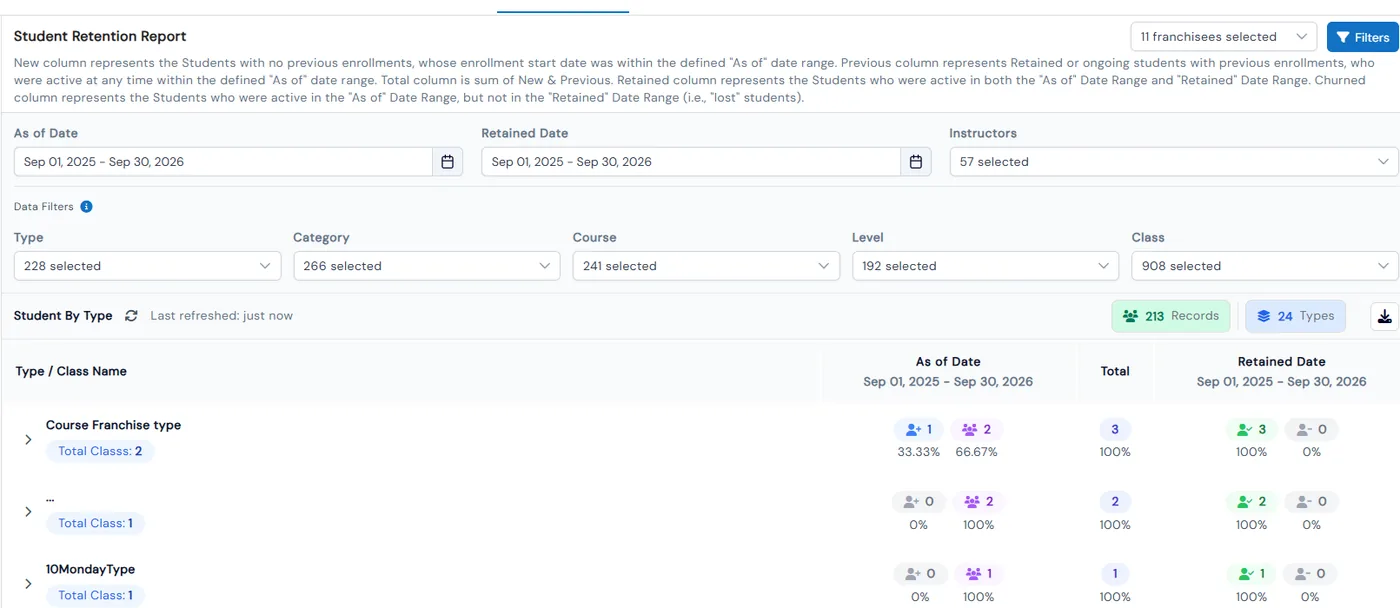
Student retention by class, printable roll sheets, birthdays, a family directory and loyalty points.
- Retention report counts new, previous, retained and churned students for each class
- Roll sheets print with options for landscape, condensed format and page breaks per class
- Birthday report flags birthdays happening today or this week
- Loyalty report shows spent, unspent and converted points for each student
Benefits for Your Institution
Spot enrollment and revenue trends early
Find money that is still owed to you
See which classes keep students and which lose them
Compare locations with the same numbers
Related Features
Explore other features that work great with Reports & Analytics.