Powerful Features
Key Capabilities
Everything you need to make the most of school & partner programs.
Partner profiles with classes, payments, transactions, billing and attachments
Link any class to a school or organization partner
Enroll students one by one or reserve a block of seats in bulk
Shareable enrollment links partners send to their own families
Invoice partners with or without a payment link
Post partner fees and keep statements in one place
Store signed contracts and agreements on the partner profile
Filter your website catalog by partner
What's inside
A closer look at School & Partner Programs
Partner profiles
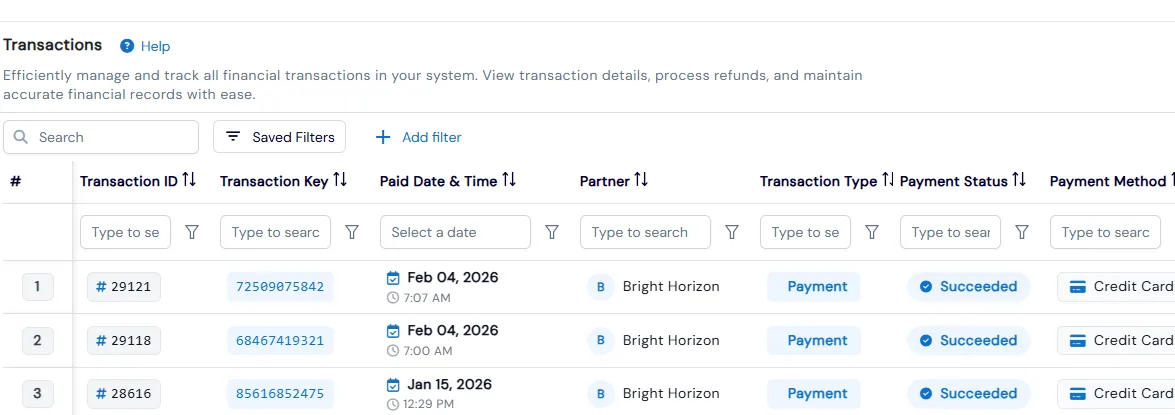
Each school or organization has a profile with its classes, payments, transactions, billing details and signed contracts.
- Create a partner with contact details plus its own username and password
- Link classes to a partner when you create them and set the partner's class price
- See scheduled, manual recurring and unpaid payments together in the Payments section
- Issue refunds and generate transaction statements from the partner's transaction history
Enroll a whole group
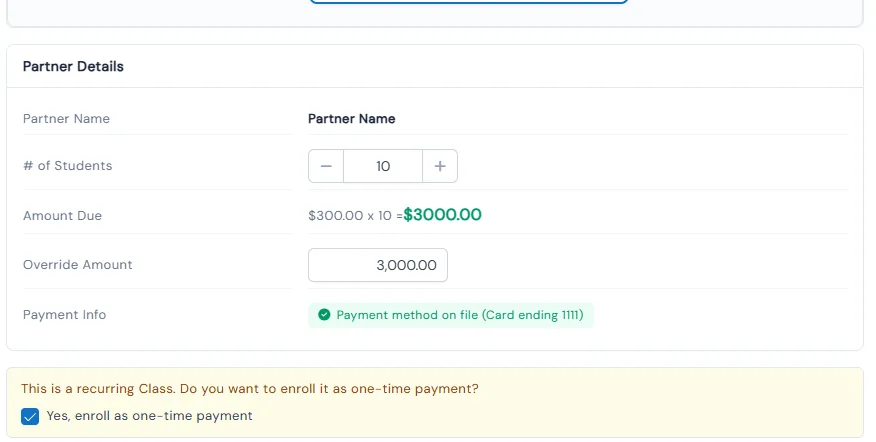
Enroll students one at a time, reserve a block of seats in bulk, or give the partner a link to share with its own families.
- Add students to a partner class individually, then choose Enroll Only or Enroll and Pay
- Copy a class's embedded link for the partner to pass on to parents
- Set the number of seats in one Enroll Bulk Students step
- Pay directly, record a physical check with an uploaded copy, or enroll without payment
Invoice the partner
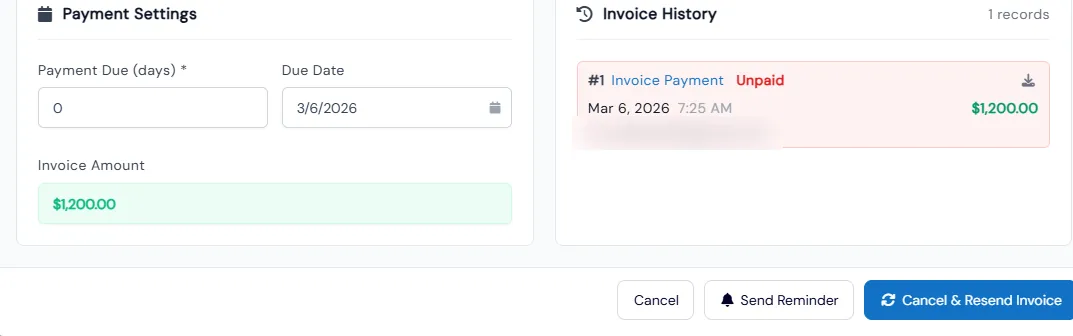
Send invoices with due dates, with or without a payment link, when you bulk-enroll, post partner fees or bill enrollments.
- Choose Enroll with Invoice during bulk enrollment and set the number of due days
- Post a partner fee from Class Overview or the partner's profile, then send the invoice
- Invoices are emailed straight to the partner contact on file
- Partners with billing details on file are charged through their existing billing setup instead
Benefits for Your Institution
1
Open a new revenue channel with schools and organizations
2
Bill the partner instead of chasing each family
3
Let partners fill seats with their own families
4
Keep contracts, payments and rosters together
Works Great Together
Related Features
Explore other features that work great with School & Partner Programs.