
Classes & Events

Class, Camp and Event Management for Learning Centers

Schedule classes, workshops, and events with ease. Our smart calendar handles recurring sessions, room assignments, and instructor availability.

yourbrand.com/schedule

Class schedule

Week of Mar 9 · Downtown campus

Search families, classes…
MonTueWedThuFri
3:003:454:305:156:00

Junior Coders

Room A

10/12 seats

Robotics L2

Lab

Full · waitlist 3

Chess Club

Room B

8/16 seats

Art Studio

Studio

9/10 seats

SAT Math

Online

18/20 seats

Robotics L1

Lab

11/14 seats

Little Movers

Gym

7/10 seats

Junior Coders

Room A

Full · waitlist 3

Reading Lab

Room C

6/8 seats

Spring Camp

All rooms

32/40 seats

Powerful Features

Key Capabilities

Everything you need to make the most of Classes & Events.

Class scheduling

  • Visual drag-and-drop scheduler with day, week and month views
  • Recurring class templates, sessions and terms
  • Programs organized by type, category, course and class (camps, belts, levels)
  • Instructor scheduling and availability
  • Room, location and resource allocation
  • Blackout dates and holiday closures
  • Anytime classes students take at their own pace
  • Assign one instructor to many classes at once

Capacity and enrollment

  • Class size limits and capacity management
  • Waitlist management with automatic notifications
  • Camp day selection, so families pick the days they attend
  • Age and grade restrictions
  • Most Popular and Almost Full tags on your online schedule
  • Embeddable class schedule and calendar for your website
  • Style the class and event cards on your website, with a live preview

Events and camps

  • Event types and categories (tournaments, workshops, open houses)
  • Event schedules with slots, pricing and recurring fees
  • Event Hub with RSVP and acknowledgement tracking
  • Event prep checklists and change history
  • Event add-ons, such as T-shirts, lunch or materials, picked for each student at enrollment
  • Public events widget for your website in list, card or month layouts, with an interest form that creates a CRM lead, a hosted page link and a QR code

Daily operations

  • Rosters, attendance and class email in one place
  • Archive and copy classes for the next term
  • Calendar integrations (Google, Outlook)
  • Automated reminders and notifications
  • Classes and students can go inactive automatically once the class end date passes
  • Bulk update price, fees, website display, Most Popular and Almost Full tags, or completion across many classes or events
What's inside

A closer look at Classes & Events

One color-coded calendar

Classes, events, parties and blackout dates in day, week and month views, with filters by instructor and student, and a detail popup that can start or join an online class.
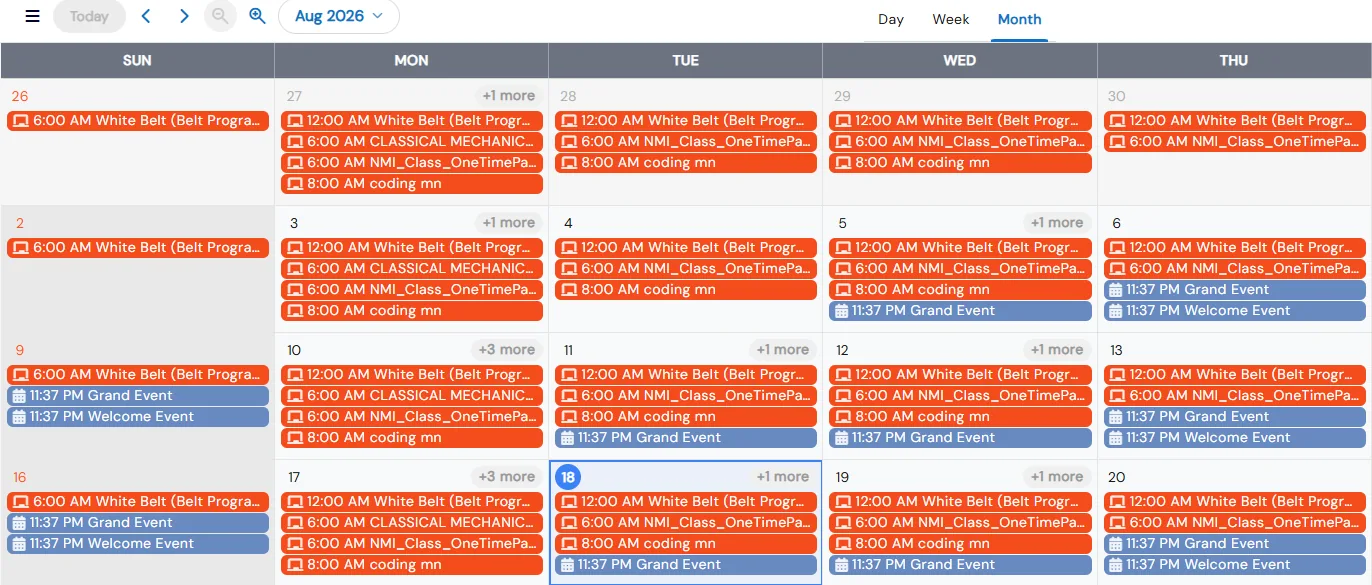
  • Filter by class, party or event name, type, course or package, with a count of active filters
  • Choose what cards show, from times and location to enrollment count and status
  • Resize week columns and expand or collapse the timeline to fit your day
  • Staff and parents each see only the options that apply to their role
Month calendar filled with color-coded class and event entries for each day

Website-ready class listings

Every class type and category gets its own list page, calendar page and embed code. Tag classes Most Popular or Almost Full to drive sign-ups.
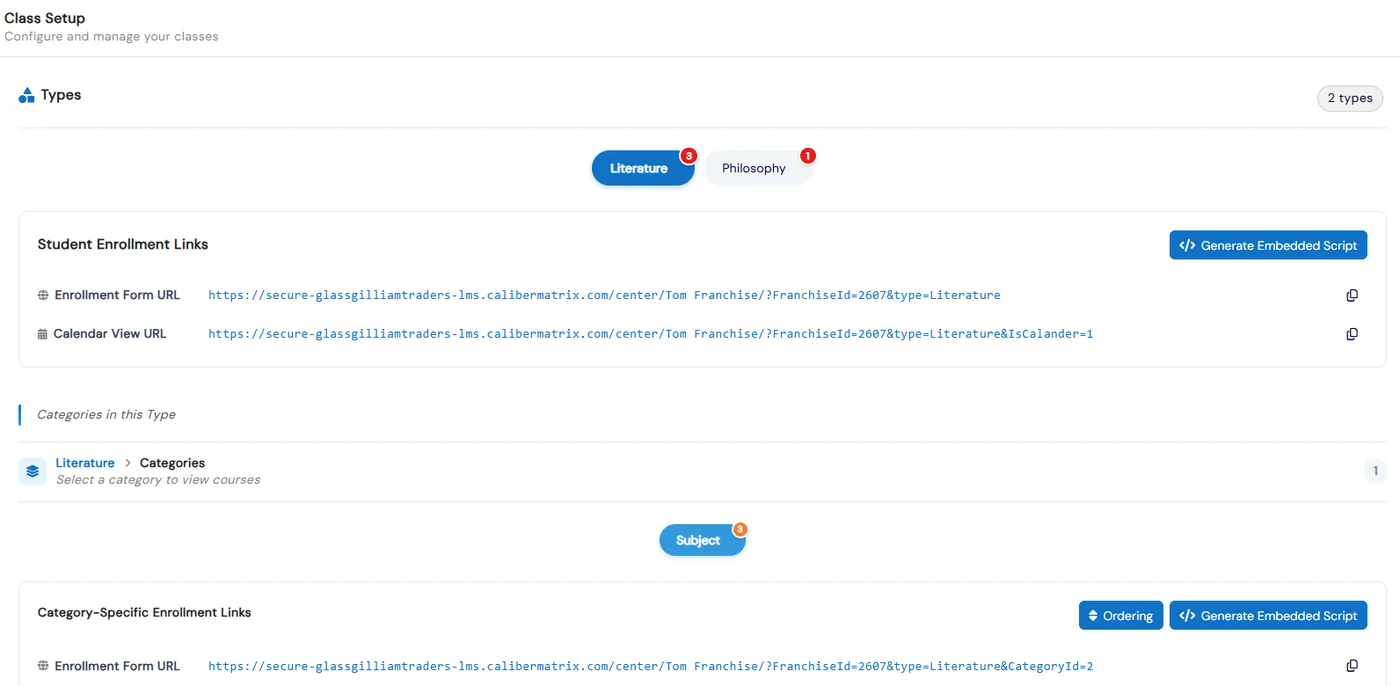
  • Each class type has its own enrollment form URL and calendar view URL
  • Generate an embedded script and paste it where the course list should appear
  • Turn Display on Website on or off per class and set the order classes appear in
  • Copy a class's embedded link so families can enroll in that class directly
Class Setup page with enrollment form and calendar view URLs and Generate Embedded Script buttons

Waitlists that convert

Families join a waitlist from your website. When a seat opens, a one-click email lets them finish enrolling without staff re-entering anything.
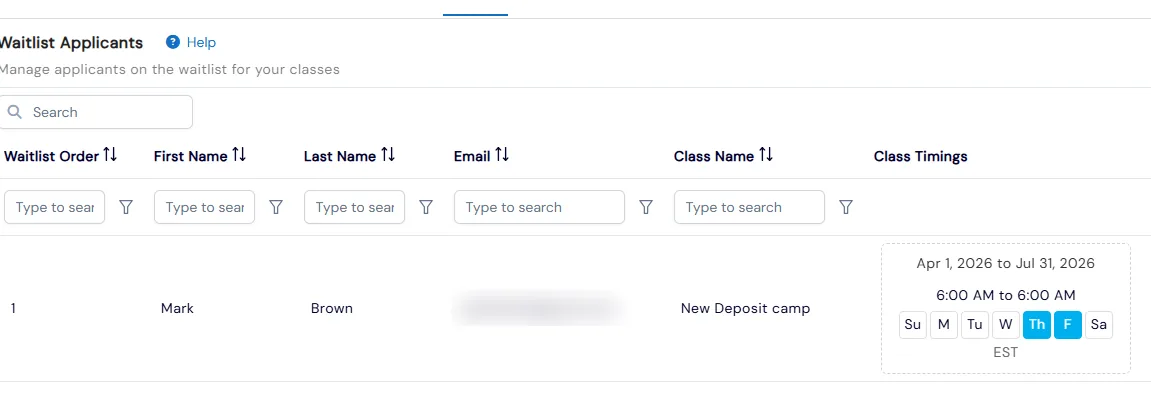
  • Turn on Can Add to Waitlist per class so families can join once every slot is full
  • Staff can also add students to a full class's waitlist from Class Overview
  • Track each applicant's waitlist position in one Waitlist Applicants list
  • Turn on waitlist notification emails once in System Config
Waitlist Applicants list showing an applicant's waitlist order, class name and class schedule

Camp-friendly day selection

Let families pick which days of a class schedule they attend, right on the class card or in the cart. Staff can adjust selected days later.
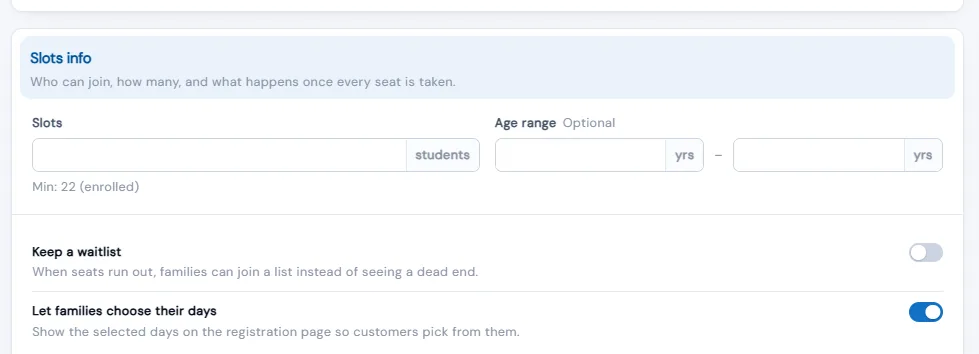
  • Set the exact number of days each family must pick when you turn it on for a class
  • Families who skip the day picker on the card can finish it in the cart
  • Checkout is blocked until each class has the right number of days, naming the class to fix
  • Change a student's days from their Class tab without dropping and re-enrolling them
Class editor Slots info section with a waitlist toggle and the 'Let families choose their days' toggle on

Event Hub for every location

Publish an event to all current and future locations or a chosen few, track who has read and RSVP’d, send reminders by email, SMS and push, and get alerted when acknowledgement is low.
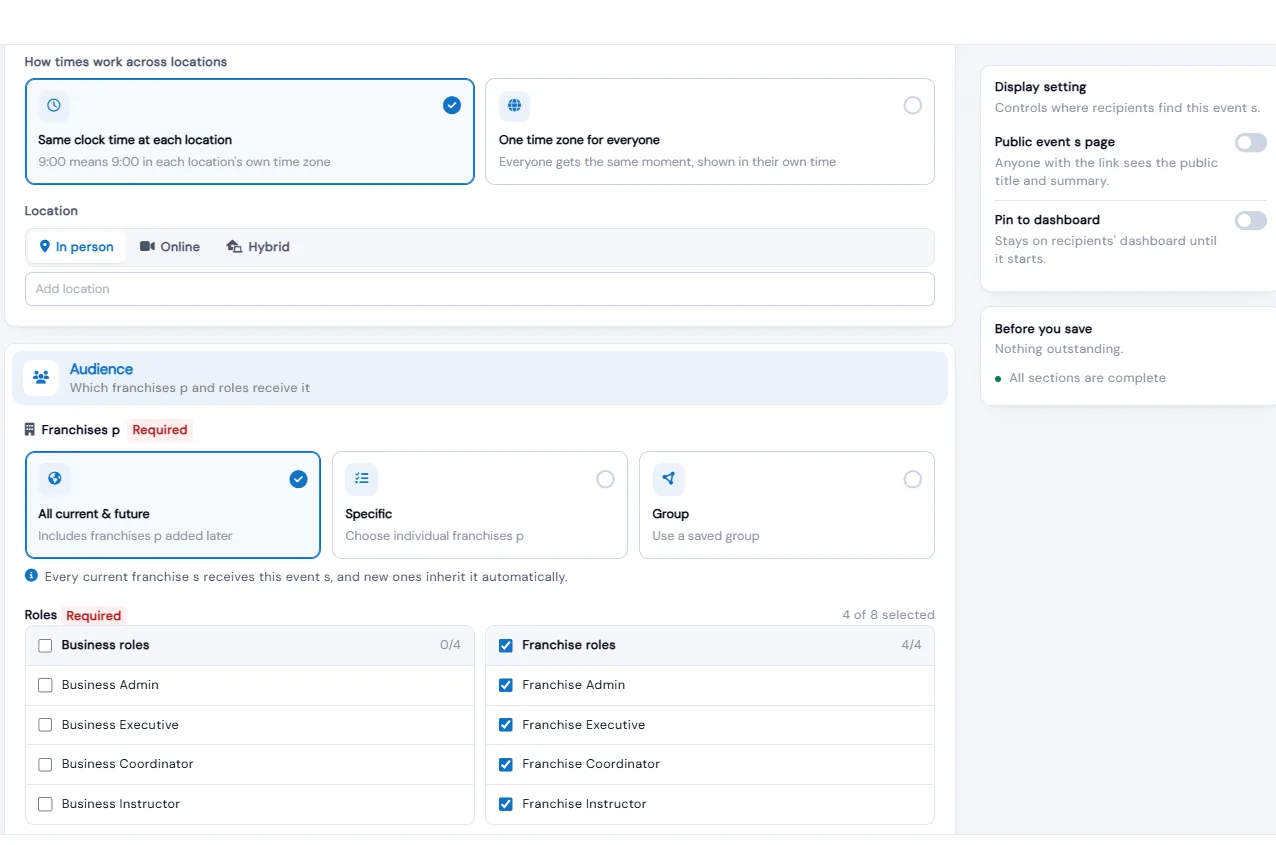
  • Ask recipients to acknowledge or RSVP, and see who was notified, saw, acknowledged and attended
  • Schedule up to five reminders, and nudge everyone still pending with one Remind button
  • Choose the same clock time at each location or one time zone for everyone
  • Recipients can add events to Google Calendar, Outlook or Apple Calendar
Event Hub editor with time-zone mode, location type, All current & future franchise audience and role selection

Event checklists and history

Each event has a prep checklist and a full change history, and families can be enrolled with payment, without payment, or by invoice.
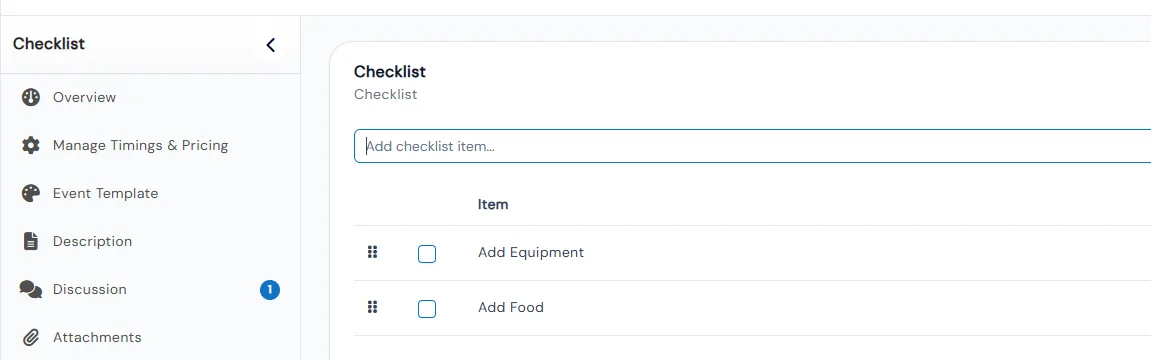
  • Add prep tasks to an event's checklist and mark them complete as they get done
  • The History tab records every change to the event as an audit trail
  • Update enrolled students' status, drop or transfer them, and email all participants
  • Share the event's embedded link so families can register directly
Event checklist tab with Add Equipment and Add Food items beside the event's section menu

Benefits for Your Institution

1

Save hours on manual scheduling

2

Prevent double-bookings and conflicts

3

Optimize room and resource usage

4

Reduce no-shows with reminders

Classes & Events: FAQs

Common questions about Calimatic Classes & Events.

Ready to use Classes & Events?

Start your free trial today and experience the full power of Calimatic.

No credit card required
14-day free trial
Cancel anytime