Automation Studio

Automations That Follow Up for You

Build email and SMS workflows on a visual canvas, or start from ready-made automations for leads, payments, classes, events and parties. Messages are already written, and nothing sends until you switch it on.

TemplatesEmail & SMSBranchingRun Logs
Powerful Features

Key Capabilities

Everything you need to make the most of automation studio.

Visual workflow builder with triggers, actions, delays and If/Else branches
Ready-made automations for leads, students, payments, classes, events, parties and feedback
Triggers for new leads, enrollments, drops, payments, attendance, birthdays and surveys
Email and SMS to families, plus internal alerts to staff by role
Sequences stop automatically when a lead replies by email, text or phone
Automations can update class listings, such as hiding a class or marking it Almost Full
Run logs show every trigger, action and recipient
Copy proven workflows to every franchise
What's inside

A closer look at Automation Studio

Start from a template

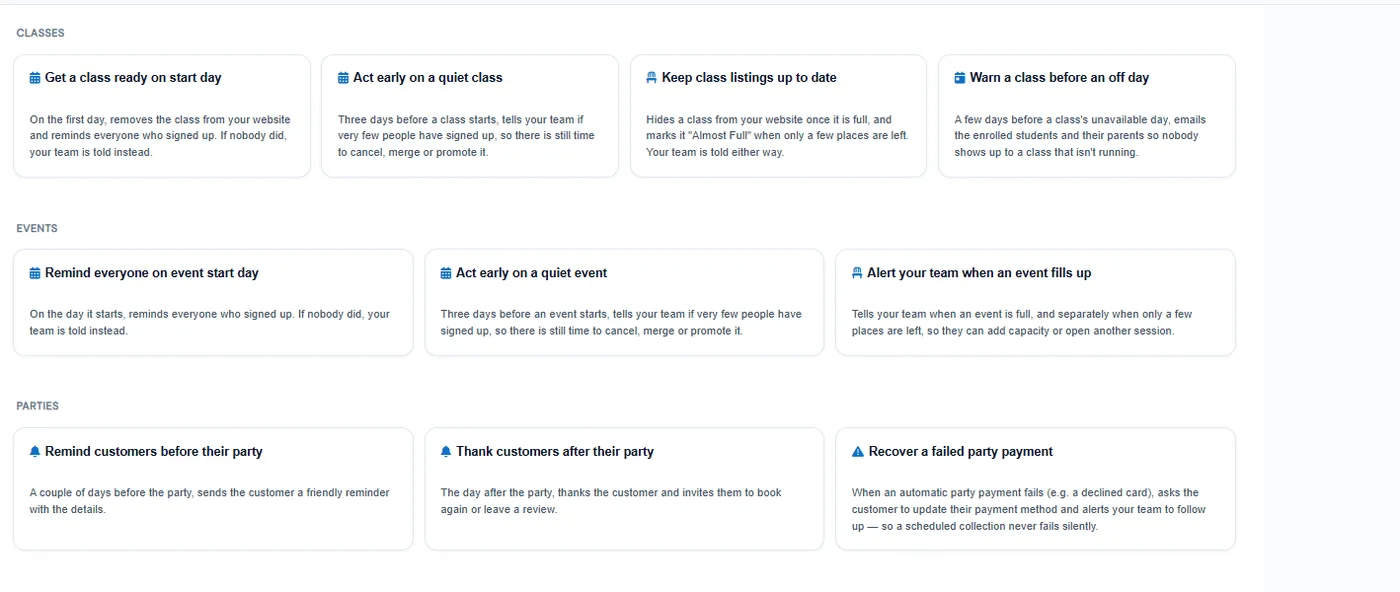
Ready-made automations for leads, students, payments, classes, events, parties, attendance and feedback open as editable drafts with the messages already written.
  • Payment templates include upcoming reminders, failed payment recovery and late payment chasing
  • Attendance templates send first-day welcomes and check in after repeated absences
  • Each template card explains in plain English what it does and what you can change
  • Nothing sends until you save the draft and switch it to Active
Ready-made automation templates for classes, events and parties, each described in plain English

Stop when a lead replies

Add a "Lead replied" check and a sequence ends as soon as the lead answers by email, texts back or calls.
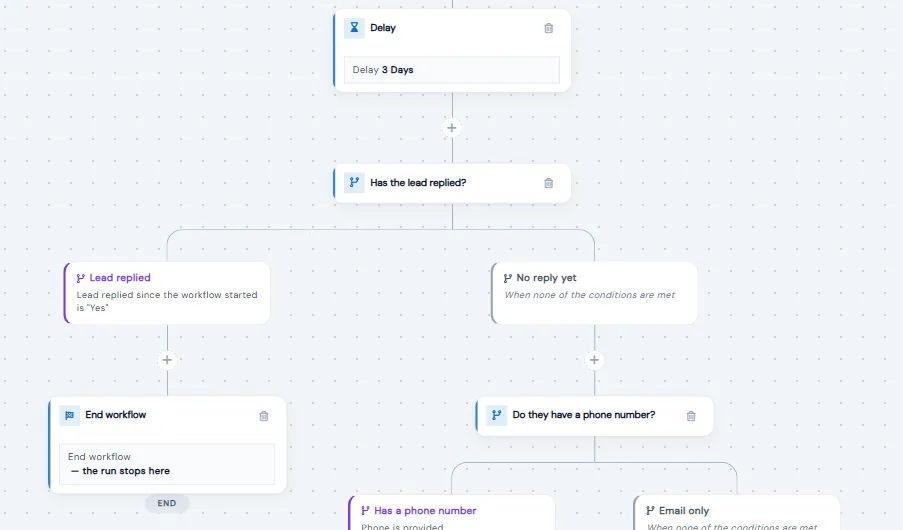
  • Check whether the lead replied since the last message or since the workflow started
  • Branch on how the lead last replied: email, text or phone call
  • Replies still reach your inbox so your team can pick up the conversation
  • The lead's timeline shows when an automation stopped and why
Workflow canvas where a 'Has the lead replied?' check ends the workflow if the lead replied, or keeps following up if not

Surveys on autopilot

Send feedback surveys on a schedule, alert staff when a parent gives a low score, and ask happy parents for a Google or Facebook review.
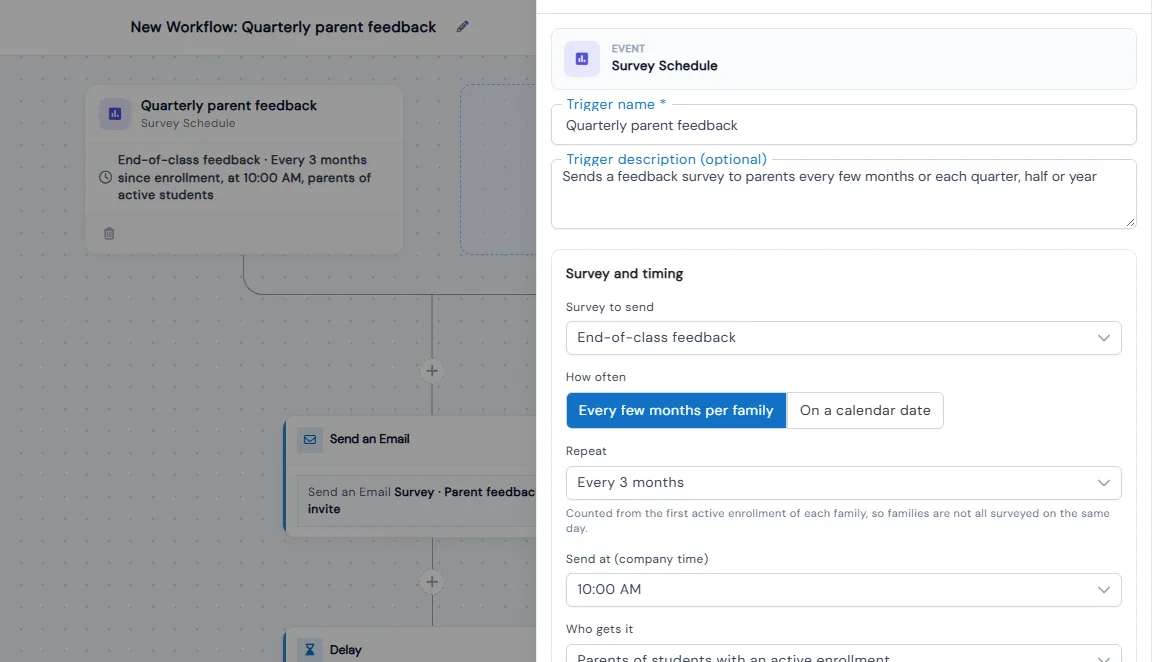
  • Schedule surveys every few months per family or each quarter, half-year or year
  • Skip parents who answered recently so no one is asked too often
  • A parent score of 0 to 6 emails your team the scores and comment
  • Reminders go only to parents who haven't answered yet
Survey Schedule trigger set to send an end-of-class feedback survey every 3 months at 10:00 AM

Off-day reminders

Mark blackout dates on a class and a ready-made automation emails enrolled families a set number of days before the class does not run.
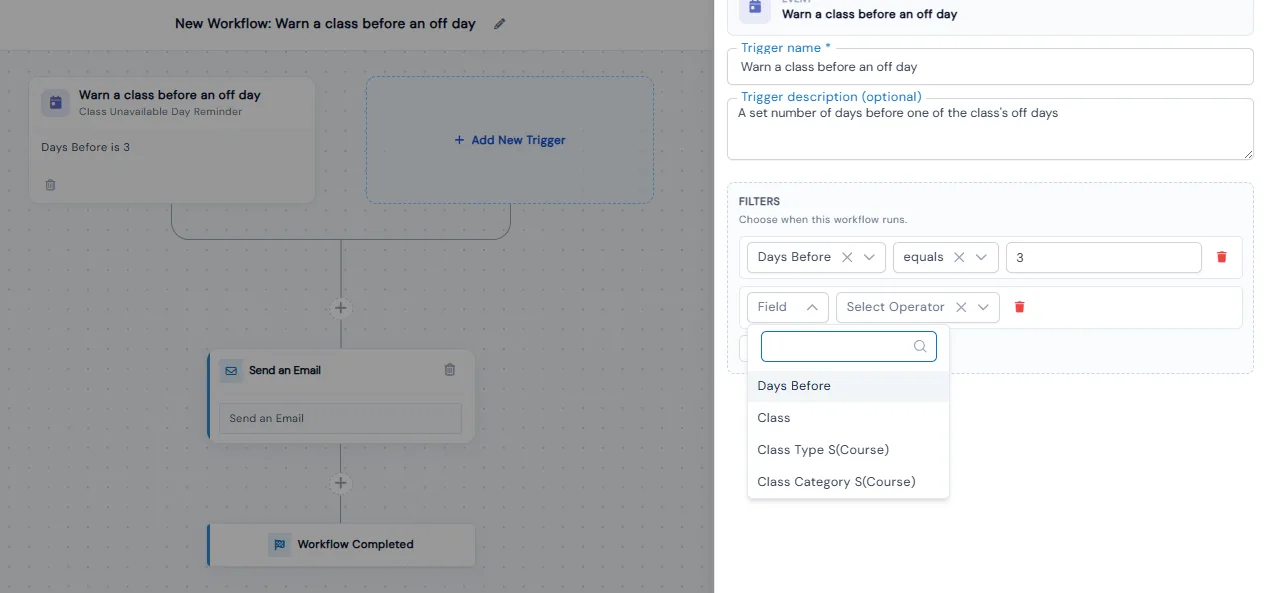
  • The 'Warn a class before an off day' template is ready to use
  • Set how many days ahead the warning goes out
  • Filter by class, class type or category to target specific classes
  • The email goes to enrolled students and their parents
Workflow that warns a class before an off day, with the trigger filter set to send 3 days before

Branches and filters

Filter triggers and branch on standard or custom fields with AND/OR logic, and add delays from seconds to months.
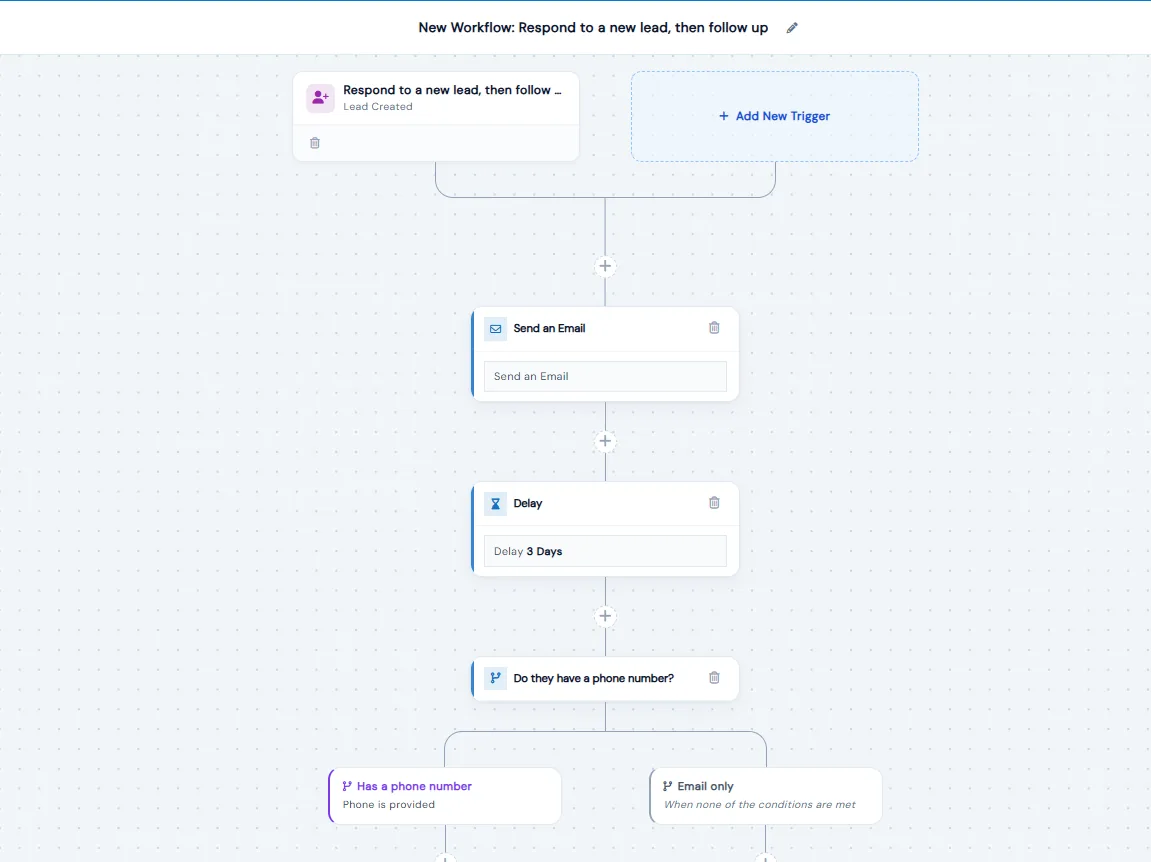
  • Text filters include equals, contains and starts with; number filters include greater than and between
  • Lead Updated triggers can check whether a field has changed, and from what to what
  • Leads that match no branch go to a None branch, so none are lost
  • Quick delay presets range from 15 seconds to 1 month
Workflow canvas: a new lead gets an email, a 3-day delay, then an If/Else branch on whether they have a phone number

See every run

Run logs show each trigger check, each action as passed, failed or skipped, and exactly who received the message.
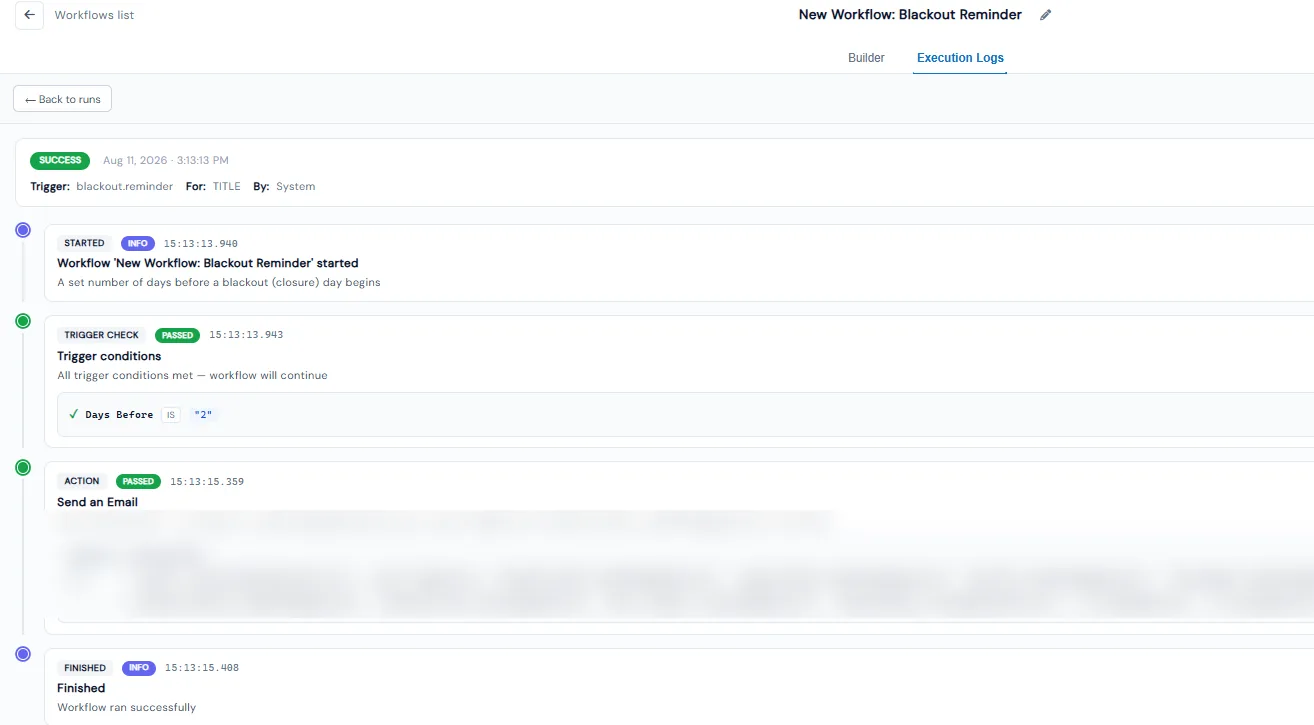
  • Each workflow keeps execution logs for 30 days, with a date-range picker
  • Every run shows its status, time, who it ran for and how many steps it took
  • Trigger checks show the actual value that made them pass or fail
  • Action steps show the template used and who received the message
Execution log timeline for a workflow run showing started, trigger check passed, email sent and finished steps

Benefits for Your Institution

1

Answer every new lead without manual chasing

2

Recover failed and late payments automatically

3

Keep families informed about changes and off days

4

Roll out what works to every location

Ready to use Automation Studio?

Start your free trial today and experience the full power of Calimatic.

No credit card required
14-day free trial
Cancel anytime