Tuition Invoice Software with Payment Links, Installments and WhatsApp
Bill a family for everything they owe in one invoice, with a PDF, a payment link and reminders that follow up for you. Split it into installments, record bank transfers and track classes paid in advance.
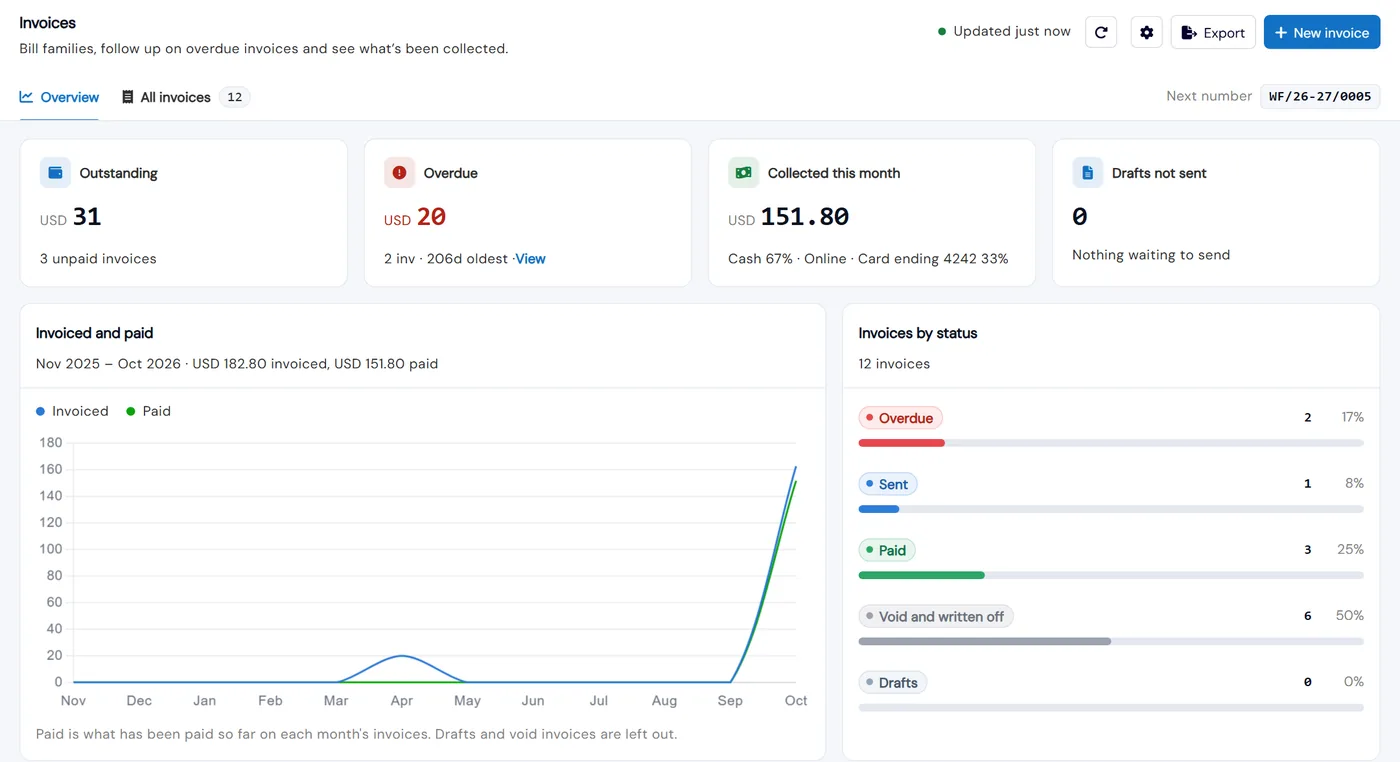
Invoices let you send a family one clear bill for their unpaid enrollments and fees. Each invoice has your logo and details on the PDF, a payment link families can pay online, and automatic reminders by email, and by WhatsApp if you turn it on. The Overview tab shows what is outstanding, what is overdue, what came in this month and which drafts have not been sent.
Families pay online, by bank transfer, cash or check. Online payments are recorded automatically, and staff record the rest against the invoice, including part payments. If you sell classes in advance, a paid invoice adds classes to the student’s balance and attendance takes them off, so you and the family can see how many are left.
How it works
- 1
Set up your invoice once
In Invoice settings, add your company name, logo, address, contact details and Tax ID, then choose a number prefix and an optional financial year format that can restart at 0001 each year. Set default payment terms, currency and tax, the ways you accept payment and your bank details. Preview shows the PDF as you edit, and numbers are only given when an invoice is sent, so deleted drafts never leave gaps.
- 2
Build the invoice from what the family owes
Click New invoice and search for the parent, student or email. Add unpaid enrollments & fees picks what the family already owes, and Post Fee adds a new charge, with a discount and tax on each line. Choose the payment link (your online gateway or an external link), add a note to the parent, and a checklist shows Ready to send once everything is filled in.
- 1
- 3
Split it into installments
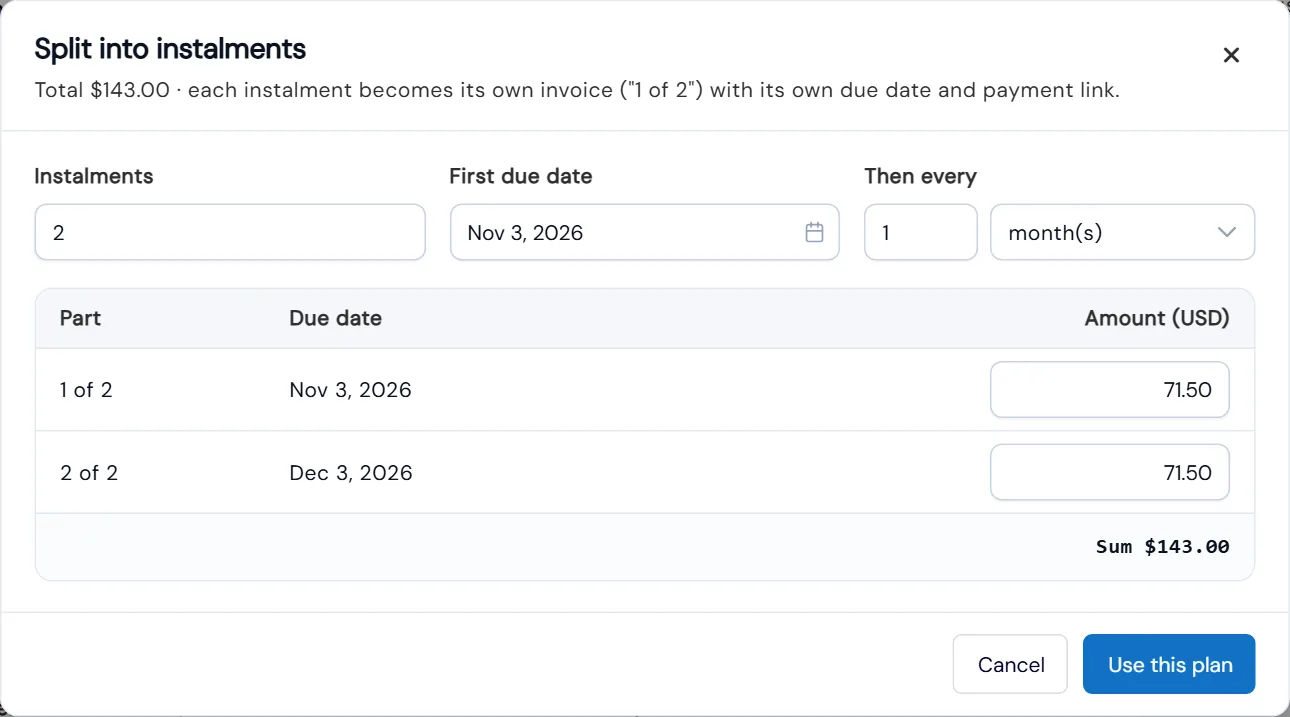
Choose how many installments, the first due date and how often the rest are due. The total is split evenly and you can change any amount. Each installment becomes its own invoice, “1 of 2” and “2 of 2”, with its own due date and payment link, and the enrollments and fees are marked paid once every installment is paid.
- 4
Send it by email and WhatsApp, and let reminders follow up
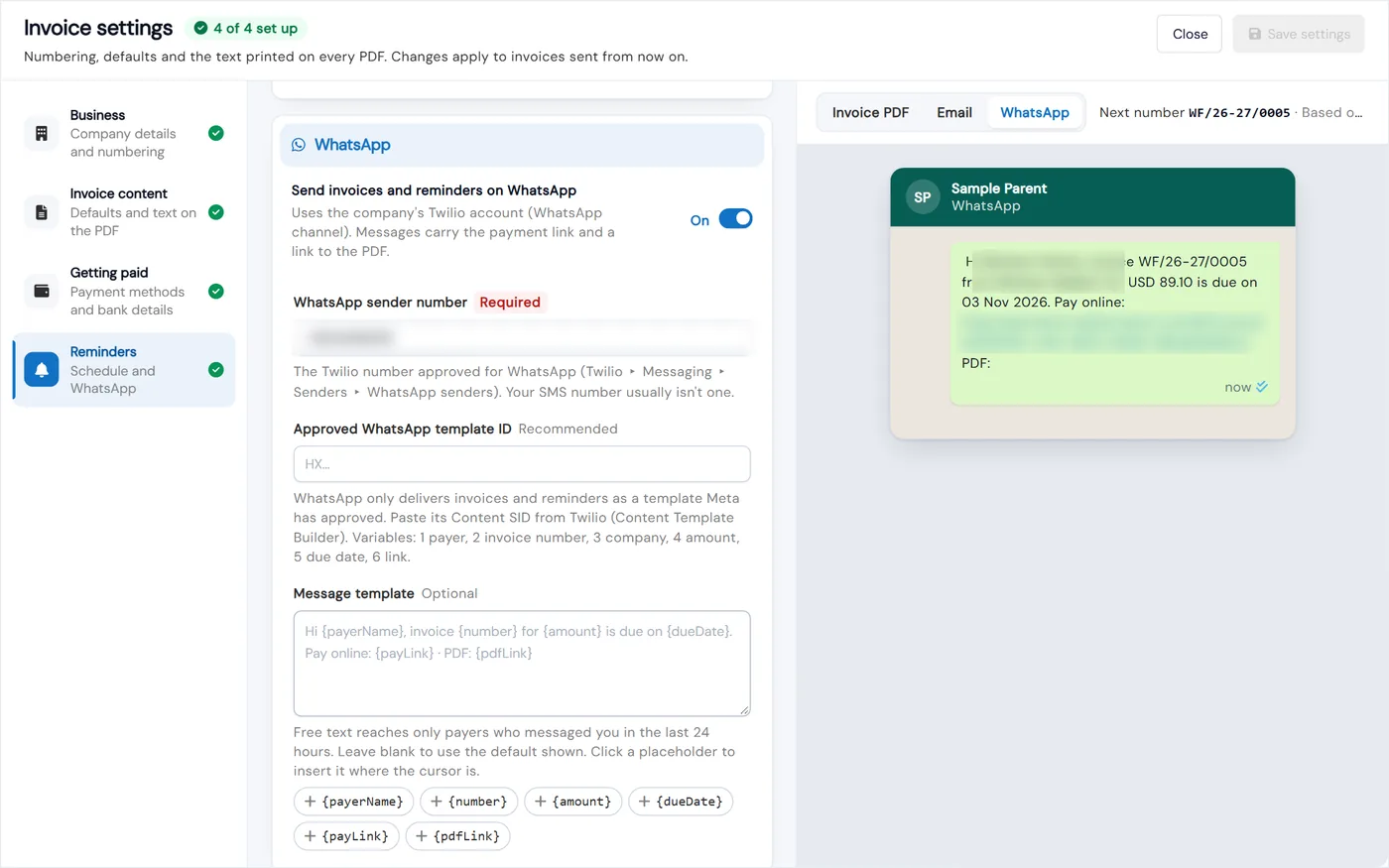
Sending gives the invoice its number, creates the PDF and locks the amounts. Turn on WhatsApp and families also get the payment link and a PDF link on WhatsApp, sent from your Twilio WhatsApp number. Automatic reminders go out once a day on the schedule you set, before, on or after the due date, and can skip small balances or be stopped for one invoice.
- 5
Record payments and settle what is left
Record a cash, check, card or bank transfer payment with its date, bank reference and a photo or PDF as proof, and email a receipt. A smaller amount is saved as a part payment. Issue a credit note to reduce the balance, refund through your payment gateway when possible, or credit the family’s wallet, and void or write off an invoice that will not be paid.
- 5
What's included
- Overview of outstanding, overdue, collected this month and unsent drafts
- Draft, Sent, Part paid, Overdue, Paid and Void or Written off statuses, with search, filters and export
- Your logo, Tax ID, terms, footer and bank details on every PDF
- Invoice numbering with a prefix and optional financial-year format
- Invoices built from unpaid enrollments and fees, with a discount and tax on each line
- Installments, each its own invoice with its own due date and payment link
- Pay link in the email, on the PDF, on WhatsApp and in the parent portal, or an external PayPal, Razorpay, Stripe or NMI link
- Automatic daily reminders before, on or after the due date, with a minimum balance and a per-invoice stop
- Invoices and reminders on WhatsApp through your Twilio account
- Part payments with bank reference, proof of payment and emailed receipts
- Credit notes, void, write off, reissue and duplicate, with a full activity history
- Prepaid class balances that fill when a class invoice is paid and drop as students attend
Part of Calimatic Billing & Payments, in one white-labeled platform with enrollment, billing and the parent app.
Who uses it
Tutoring centers
Sell blocks of classes in advance. When the invoice is paid the classes are added to the student’s balance, attendance takes them off, and parents see how many are left in the portal.
Summer camps
Split a camp fee into installments so families pay in parts, each with its own due date, payment link and reminders.
Online tutoring
Teach in the Simpech virtual classroom and Calimatic reads attendance every hour, marks students present and takes their time in class off their prepaid balance.
Music schools
Invoice a term of lessons and fees together. Families who pay by bank transfer see your bank details on the PDF, and staff record the payment with its reference.
See Invoices in a live demo
Get a personalized demo. We'll show Calimatic running your programs, under your brand.
- 14-day free trial, no credit card
- White-labeled under your brand
- Live product walkthrough
Invoices: FAQs
Common questions about Invoices in Calimatic.
From the Blog
Managing Payments and Invoicing for Online Tutoring Businesses
Struggling with late payments and manual invoicing? Learn proven strategies to streamline payment collection, reduce admin time, and improve cash flow in your tutoring business.
Read articleHow to Automate Billing and Reduce Late Payments in Education
Education businesses lose thousands monthly to late payments and manual billing errors. Learn how automation can recover that revenue and save hours each week.
Read articleOnline Tutoring Pricing: Hourly vs Packages vs Subscriptions (With Examples)
Packages are the best default for most tutoring businesses; subscriptions win once students come weekly. See worked math for all three models, pricing steps, and policy templates.
Read article