Student Check-In Kiosk App and Attendance Tracking for Classes
Students check in and out with a PIN or QR code on a phone, tablet or iPad. Whole classes check in with one group PIN, staff clock in on the same kiosk, and every check-out records who picked the child up.
Arrival and pick-up are the busiest minutes of your day. Calimatic runs a check-in kiosk inside its mobile app, so any phone, tablet or iPad at the front desk becomes the place where students scan a QR code or type a PIN, pick their class and get a confirmation with the exact time.
Check-in and check-out times are recorded automatically, and the student check-in/out screen asks for an approved pick-up or drop-off contact before it lets the action go through. For the classroom side, the Attendance page lets you mark, review and fix attendance by date, class, course or student.
How it works
- 1
Give everyone a PIN or QR code
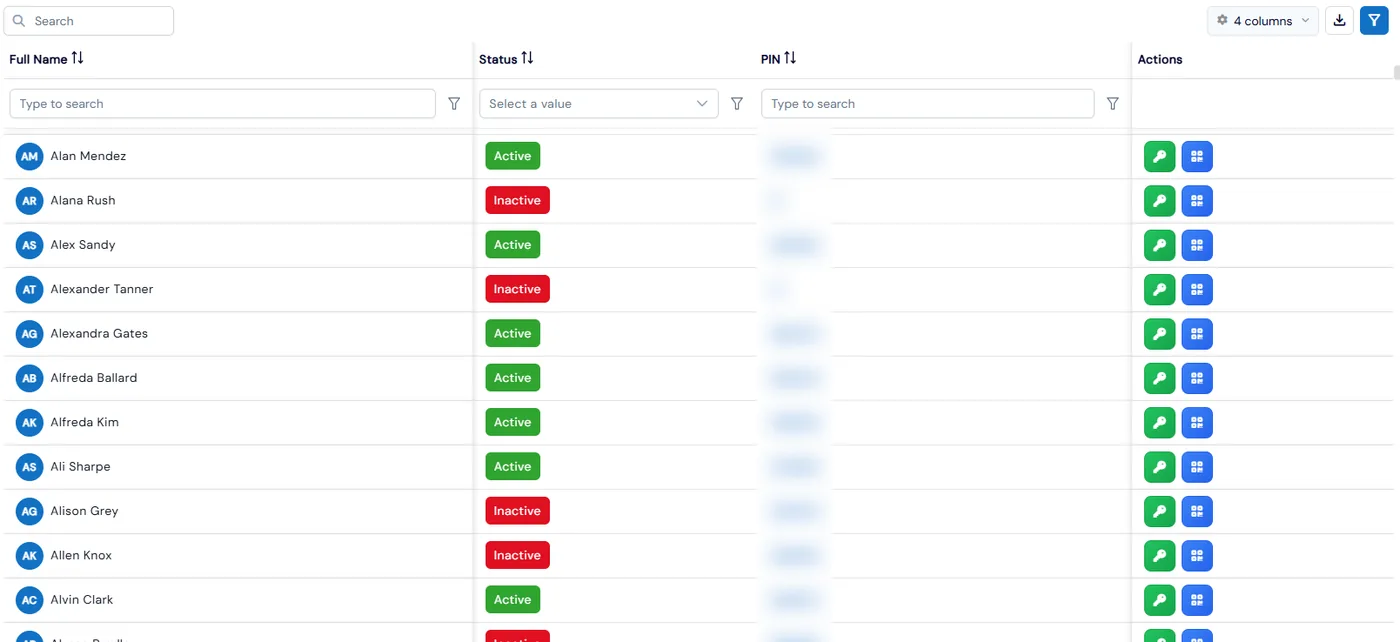
Under Check In/Out, Manage PINs/QR Codes lists every student with their PIN and QR code, every class with its group PIN, and every staff member’s PIN by role. Use Send PINs in Bulk to email PINs to many students at once, and skip anyone who already got one today.
- 2
Launch the kiosk on a phone or tablet
Open the Calimatic EdTech mobile app, go to the menu and launch the Kiosk. Students scan their QR code or enter their PIN, see their enrolled classes, choose the class and subject, and tap Check-In. A confirmation screen shows the date and time.
- 3
Check out to an approved pick-up contact
At pick-up, the student scans or enters the PIN again. The check-in/out screen lists the approved pick-up and drop-off contacts, and one must be selected before the action completes. The contact’s name is saved with the check-out for reporting and audit.
- 1
- 4
Mark and review attendance your way
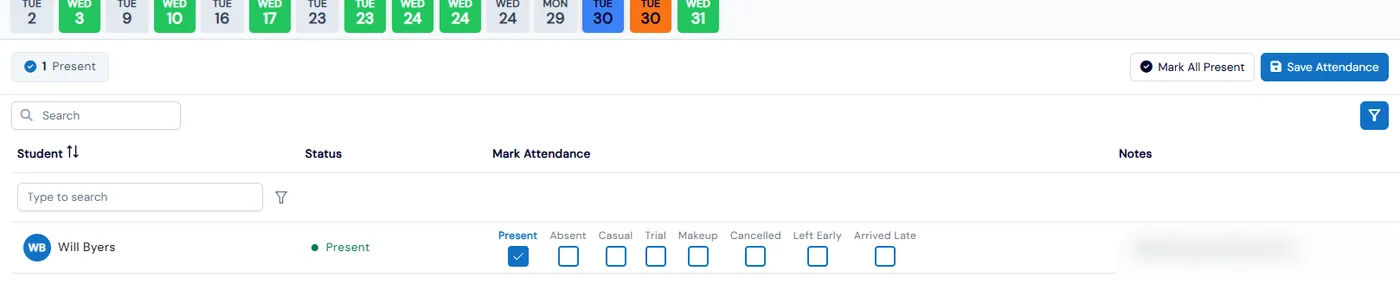
The Attendance page has four views: By Date, By Class, By Course and By Student. Mark Present, Absent or another status, add a note for a student, or use Mark All Present, then open View Attendance to see the full history.
- 5
Keep a paper backup
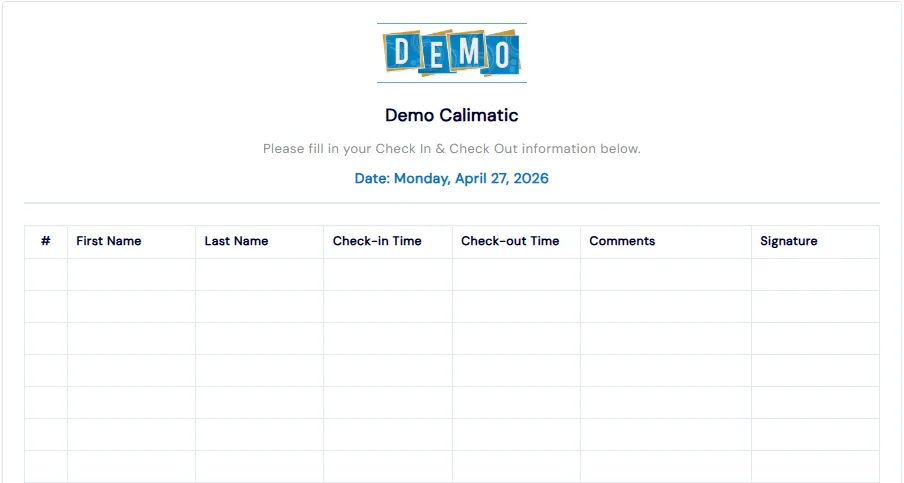
Print a sign in/out sheet for any date, with columns for name, check-in time, check-out time, comments and signature, for offline records or days the tablet is off.
What's included
- Kiosk in the Calimatic EdTech mobile app for phones, tablets and iPads
- Student check-in and check-out by PIN or QR code, with class and subject selection
- Group PIN per class that checks in every student in the class at once
- Staff check-in by PIN, with a time-logged counter and Pause and Continue
- Approved pick-up and drop-off contacts, required before student check-in or check-out
- Send PINs in bulk, with an option to skip students already sent one today
- Individual and group check-in/out views with check-in time, check-out time and time logged
- Automatic check-out at midnight in your company’s time zone for anyone still checked in
- Attendance by date, class, course or student, with notes and Mark All Present
- Printable sign in/out sheets, and separate permissions for generating QR codes and updating PINs
Part of Calimatic Student Information System, in one white-labeled platform with enrollment, billing and the parent app.
Who uses it
After-school programs
Release each child only to an adult on the family’s approved pick-up list, with the contact’s name saved on the check-out.
Summer camps
Check in a whole camp group with one class PIN at drop-off, and keep a printed sign in/out sheet as a backup.
Martial arts schools
Students scan their QR code on a front-desk tablet before class, and instructors mark the rest with Mark All Present.
Tutoring centers
Students pick their class and subject at check-in, and staff clock in on the same kiosk with their own PIN.
See Check-In Kiosk & Attendance in a live demo
Get a personalized demo. We'll show Calimatic running your programs, under your brand.
- 14-day free trial, no credit card
- White-labeled under your brand
- Live product walkthrough
Check-In Kiosk & Attendance: FAQs
Common questions about Check-In Kiosk & Attendance in Calimatic.
From the Blog
Attendance Tracking and Reporting: New Automation Features
Discover how our new automated attendance management capabilities save time and improve accuracy for learning centers.
Read articleHow to Track Student Progress and Showcase Achievements Effectively
Learn proven methods to monitor student growth, communicate progress to parents, and celebrate achievements that boost retention and referrals at your activity center.
Read articleHow to Manage Memberships, Drop-ins, and Class Packs at Your Activity Center
Learn proven strategies to handle multiple pricing models, reduce administrative headaches, and maximize revenue at your enrichment center.
Read article